
Admins can monitor Village Volunteers Check-ins through the Check-Ins Per Week feature
To access the Check-Ins Per Week feature → Select → ADMIN → Check-ins
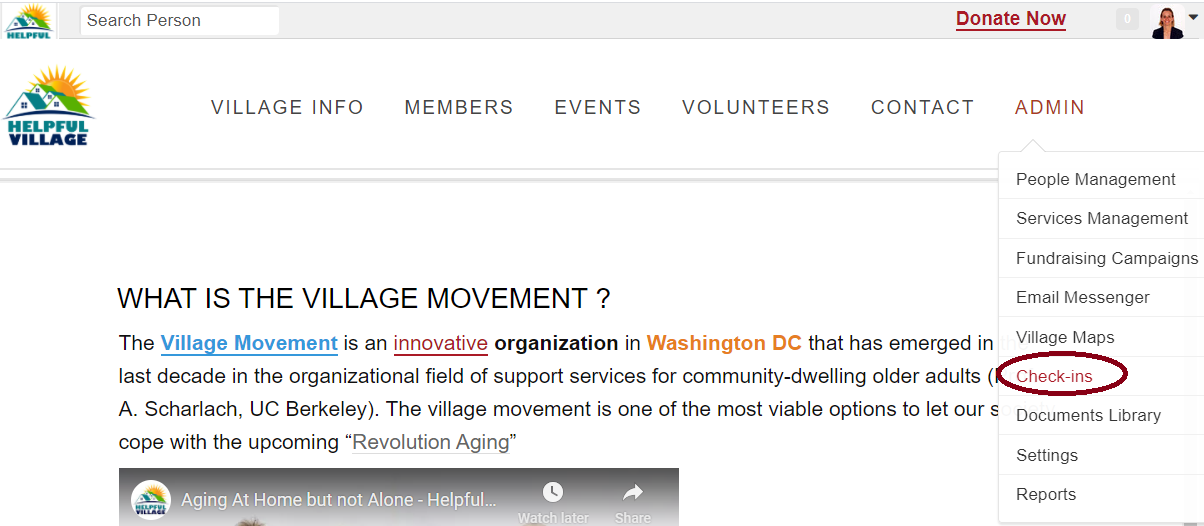
There are two ways to see check-ins on the HV platform
Different Emergency Campaigns have different Check-ins → To monitor all the Check-ins for your Village → Click → Campaign
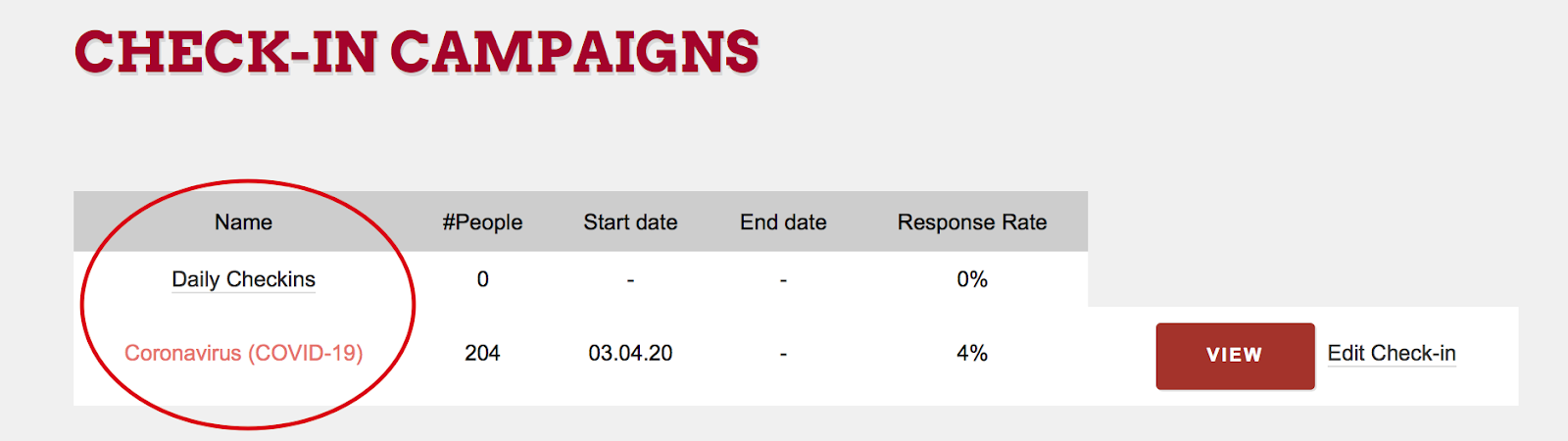
Once in the campaign, this is where you can see the Villages Check-Ins Per Week
You can also conduct a new check-in for a Member by selecting → New Check-In
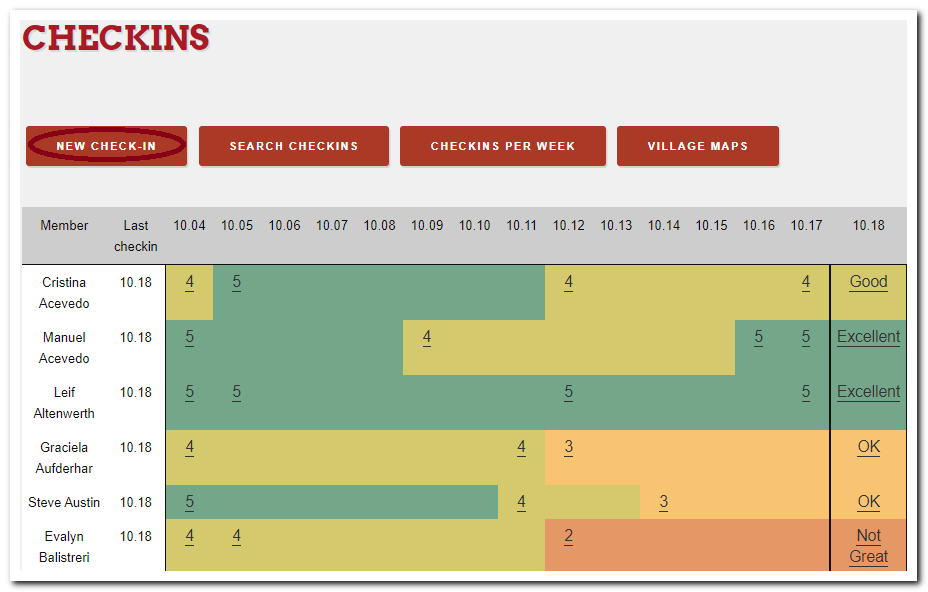
Check-Ins Per Week is a feature that allows Village Admins to see all the Check-ins completed for the Village that week
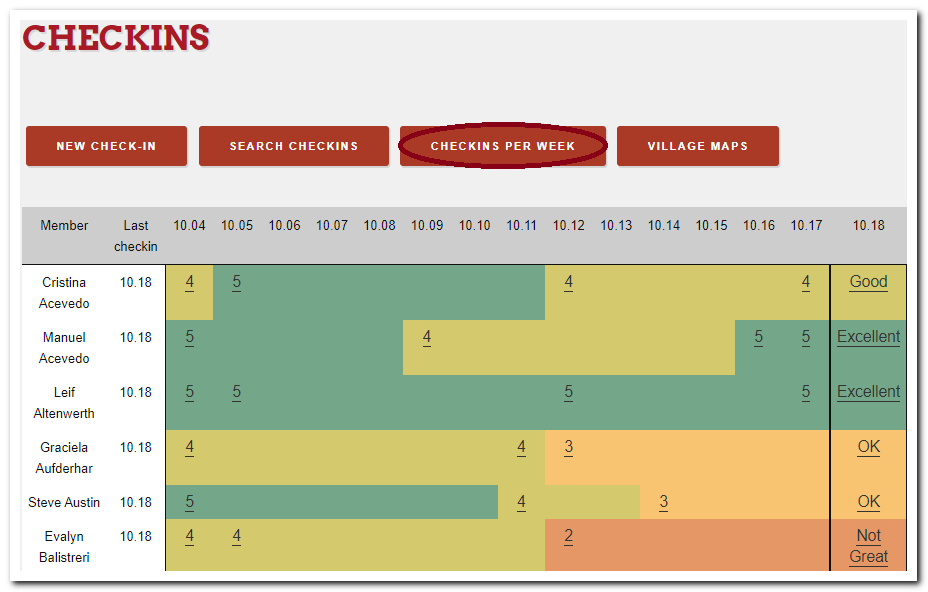
In the Search Check-Ins feature you will be able to see all the Villages Check-ins.
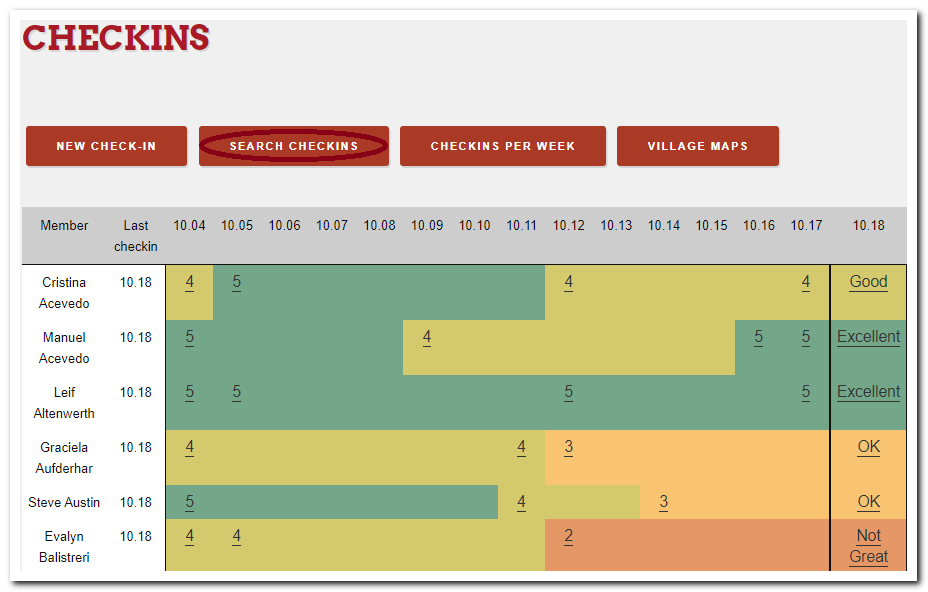
You will be able to see the basic needs answers (Groceries, meds, callbacks), also the comments associated with the check-in

If a Member / Volunteers selects Not good / Terrible an email will be sent to the Village Admin alerting members check-in status
At the bottom of this page, you can make a search indicating a start date, end date and member name.

You will be able to export CSV files and be able to manually edit check-ins if needed by clicking → Show
Comments
0 comments
Please sign in to leave a comment.