
In order to upload a template for snail mail, go to ADMIN-->DOCUMENTS LIBRARY-->ADMIN DOCS
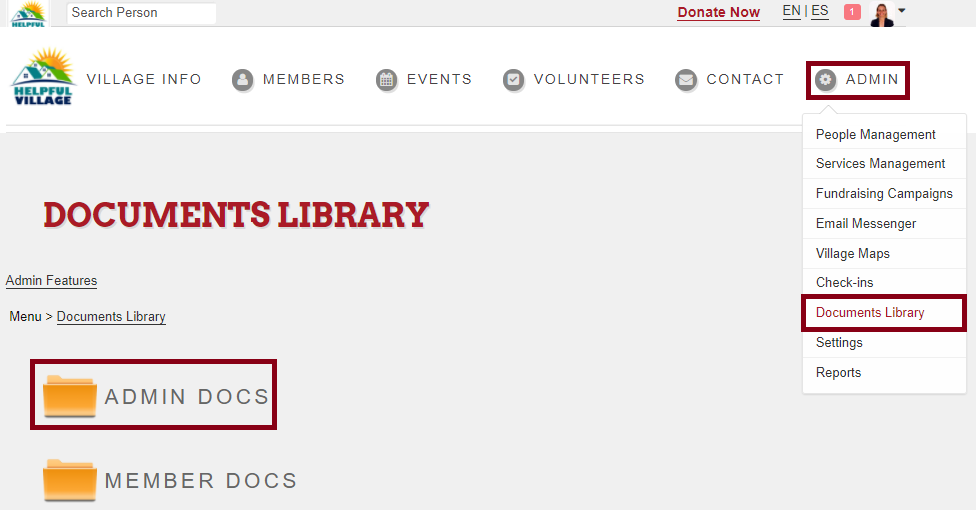
Click on ADMIN DOCS FOLDER, then select the WORD TEMPLATES FOR HV
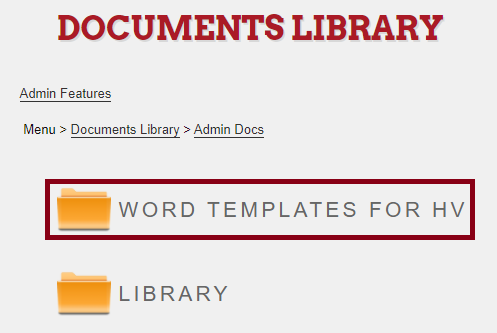
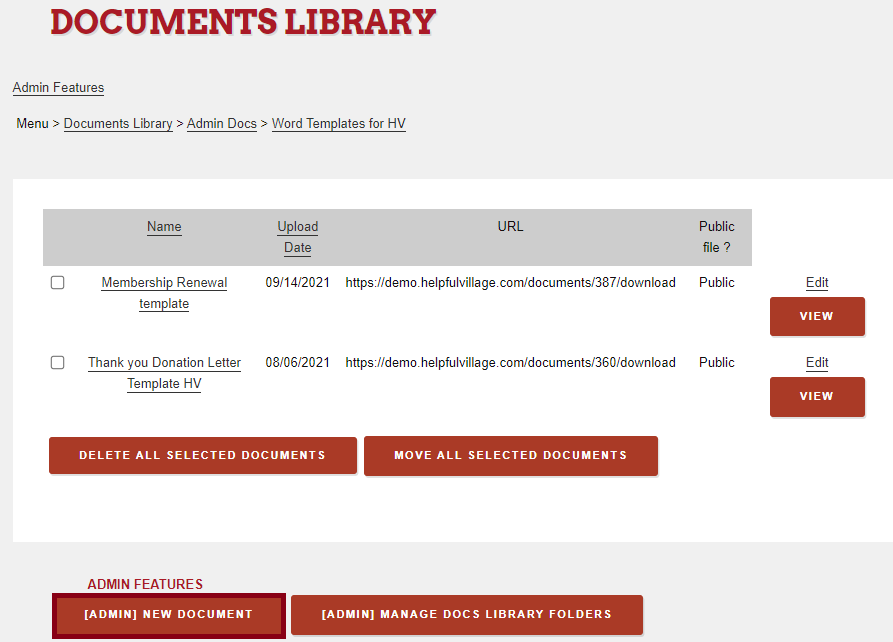
It is possible to upload two kind of templates right now, thank you donation template and a renew membership template. Please, click on new document to upload a new template.
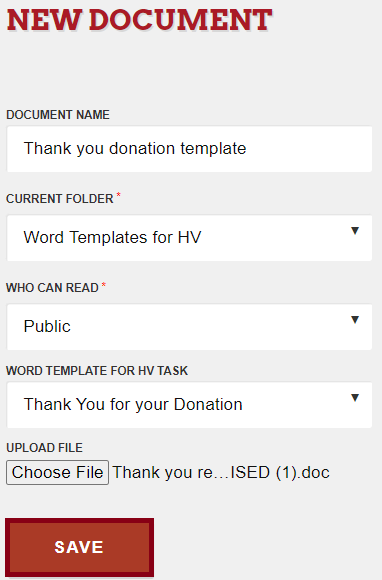
Now fulfill the following fields and choose the Word document that you have prepared as a template.
Once these templates are uploaded to the Documents Library, you may now go to a person's profile and apply these templates.
Please go to the Docs tab, scroll down and select the template you want to apply, now you can print it out and send it by snail mail. All merge fields will be changed automatically. 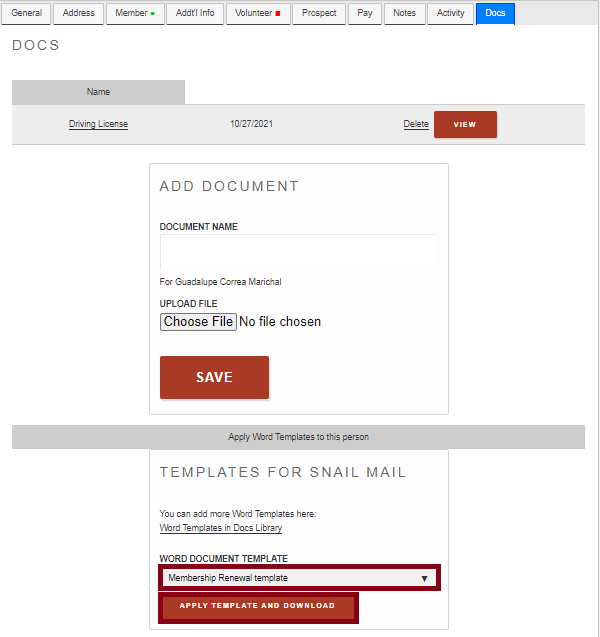
Note: Templates format has to be in Word.
Check out this live demo: https://support.helpfulvillage.com/hc/en-us/articles/5664555020567-Live-demo-How-to-upload-templates-for-snail-mail
Comments
0 comments
Please sign in to leave a comment.