
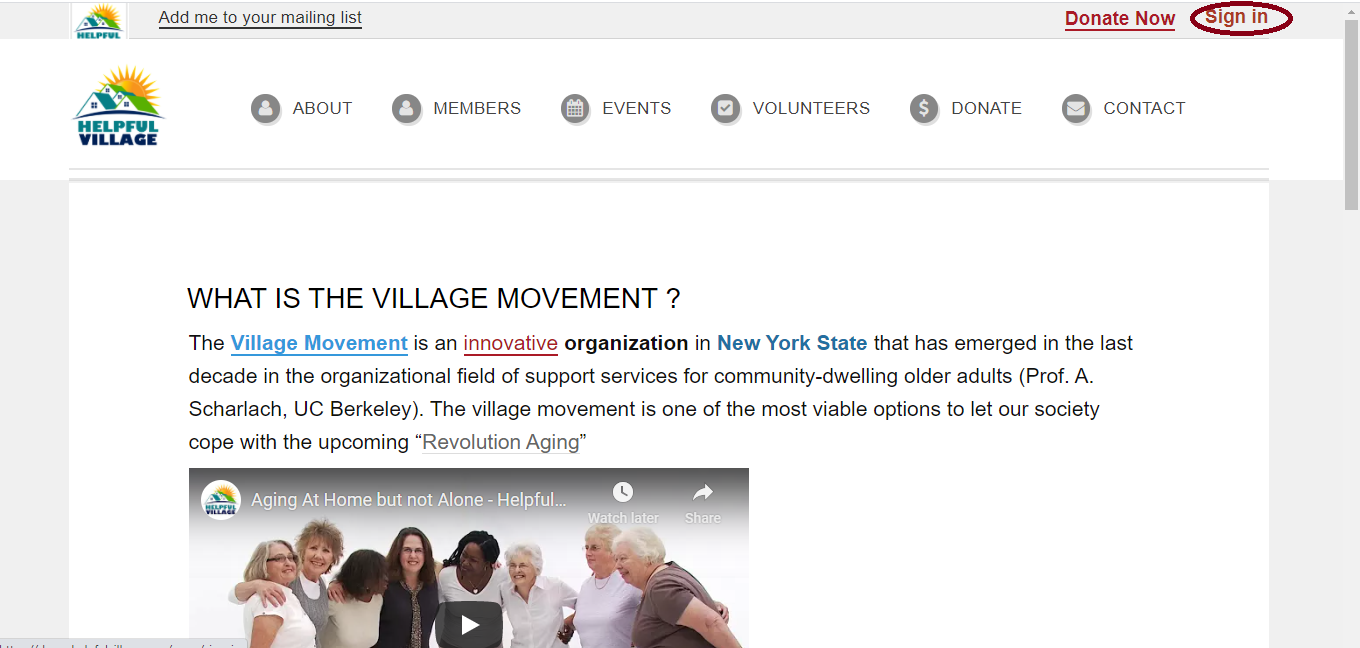
First, sign in with your member username and password. Please press on the "Sign In" button at the upper right corner. See image below:
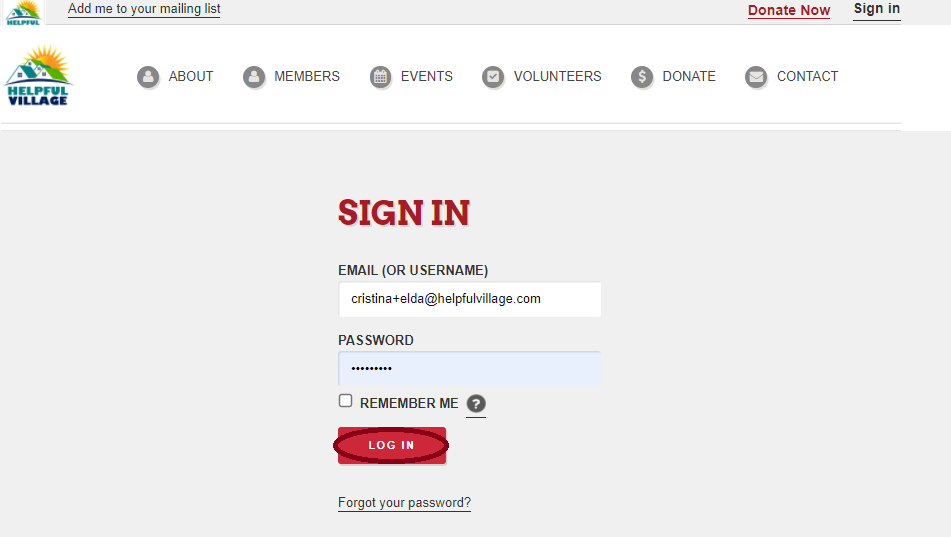
Now, write your email (or username) and password and press LOG IN.
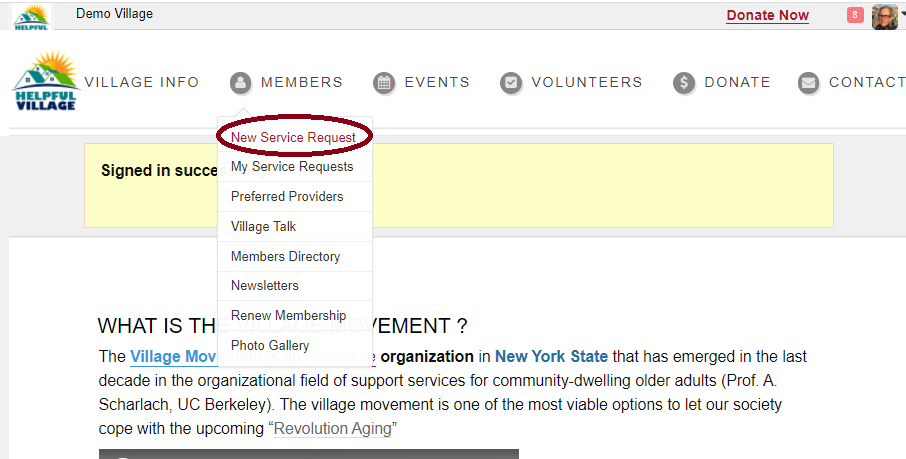
Now you see a message saying that you have signed in successfully, and at the upper right corner, you will see your profile photo as well.

Now that you are logged in successfully, go to the menu bar at the top of the screen and click on "Members", and then click on "New Service Request", as indicated in the picture below:
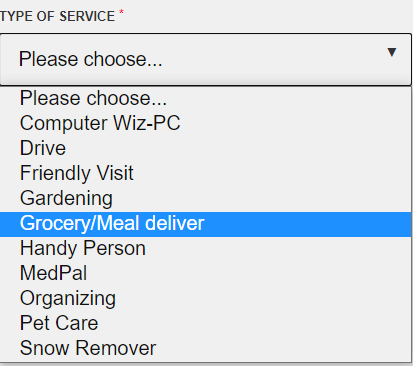
The system will automatically recognize your user, therefore the first thing to do is to choose the service type, to do so please click on the space "Please choose"
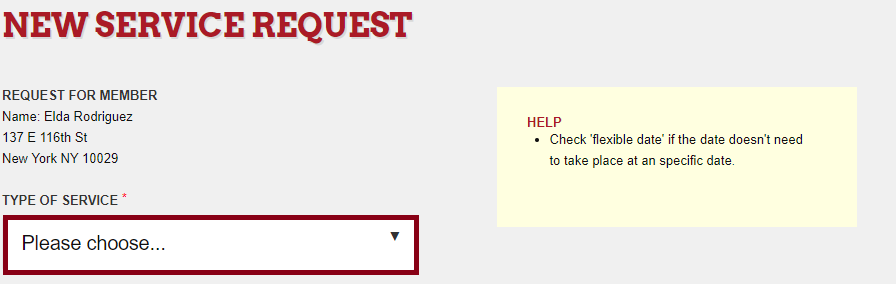
Options will appear, when you have clicked, please choose the service type that you would like.
Then fulfill the field "purpose" to give more specific information.
Then click on the field Service Date to choose the day and then the same for the Start Time
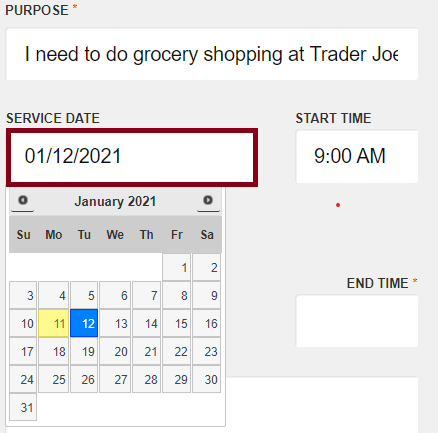
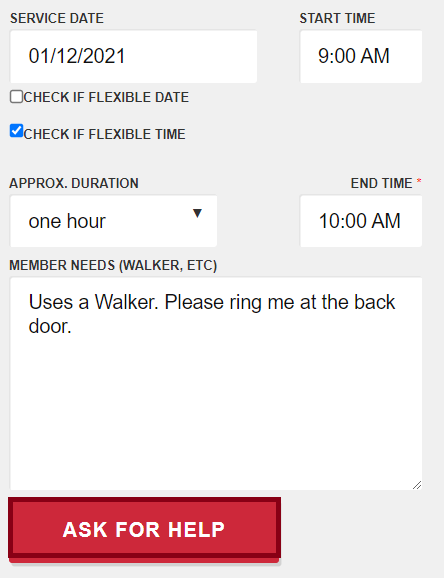
Now that the date and time of the service is selected, you have the option to indicate if you are flexible with the date or time of the service (or both of them).
Please indicate the approximate duration of the service, this info is very helpful for the volunteer.
On the following field "Member Needs", you may indicate to the volunteer any useful information such as "please ring me when you arrive at the back door".
Finally, that you have fulfilled all the information for the service request, please press on "Ask For Help" button.
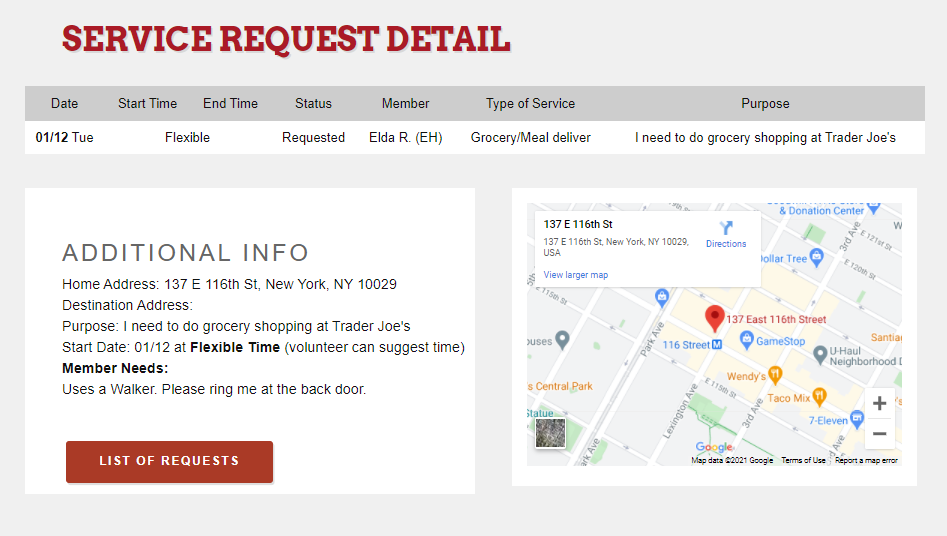
Your service request has been sent, you can see all the details now, we also show your address on the map.
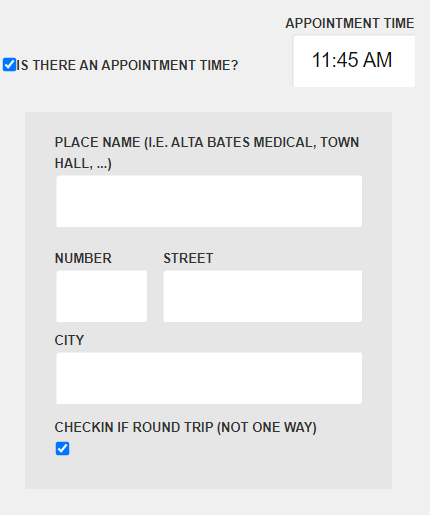
When you request the "Drive" service type, you also have to fill out these fields:
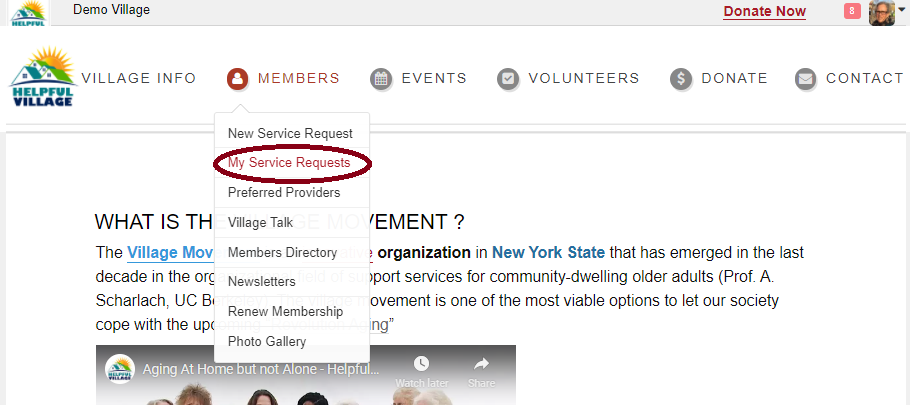
You are able to see the "List of requests", if you press that button when you ask for a new service request. You may also access this information going to the Members menu, and then click on "My Service Requests".
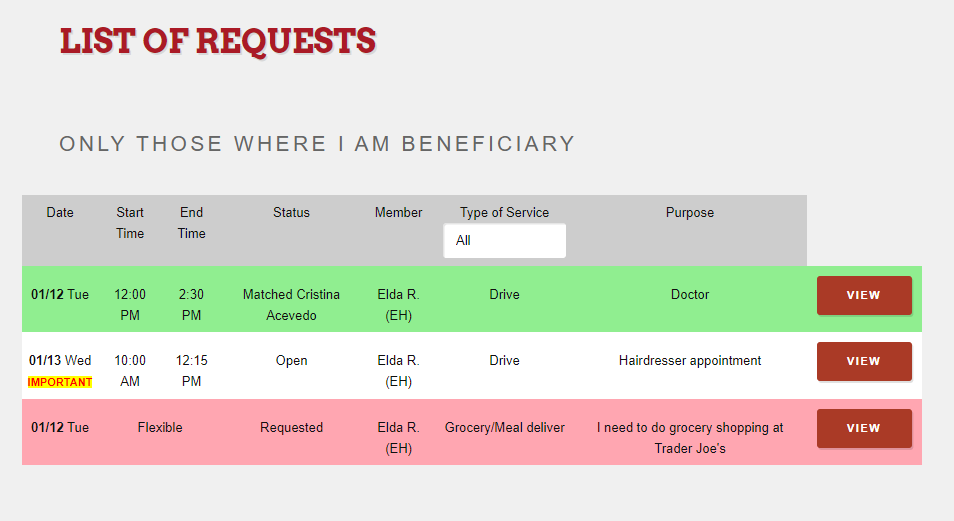
You will see different colors depending on the service requests status.
Once the volunteer has accepted the service request, the volunteer will call you within 24 hours.
Comments
0 comments
Please sign in to leave a comment.