
Look for the event you want to participate in the Events List or in the Calendar.
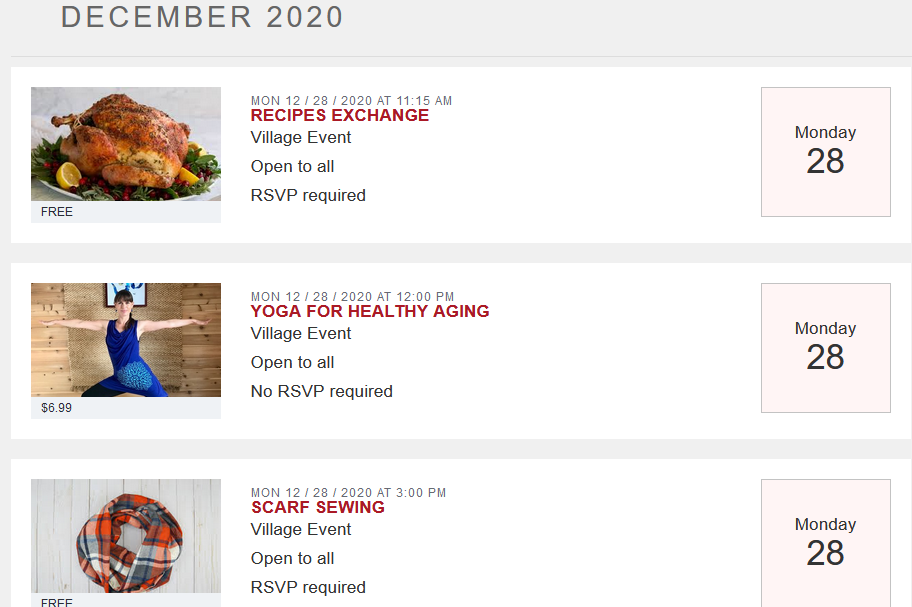
Click on the name of the event, then click on the Register For This Event button.

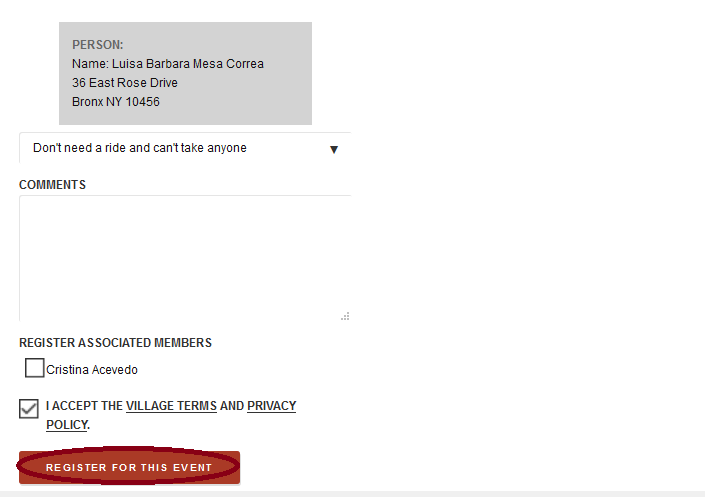
Because you are logged into Helpful Village, the system already knows that you are the participant, please fill in any other field if you wish and press Register For This Event.
💡Note:
Make sure the "I accept the village terms and privacy policy" checkbox is ticked
You will get the following message:

Now that you have registered for this event, it is important to you to know that there are two ways to access to this zoom event.
Option 1:
If you are logged in into HV and you look for the event, you will able to press to the "Join Online Meeting" button. This button will redirect you to the zoom meeting.
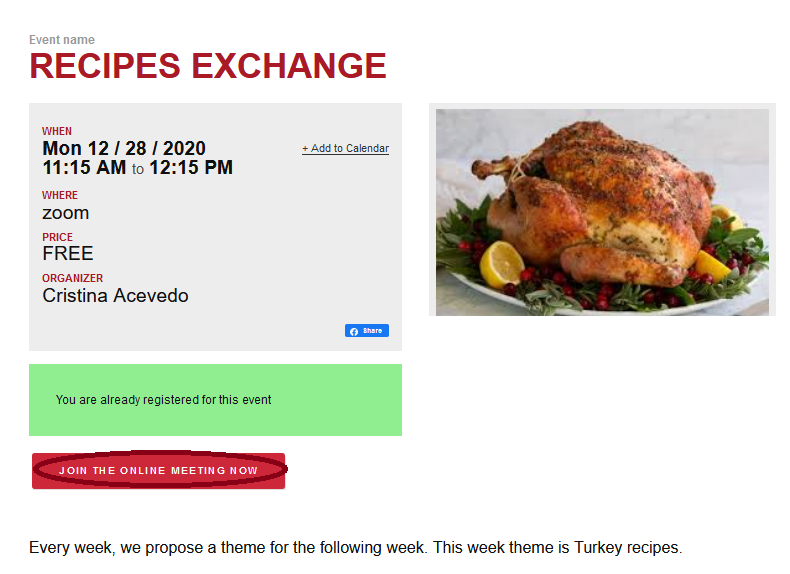
Option 2:
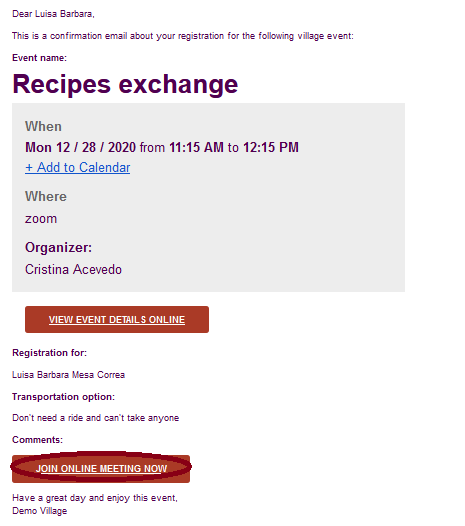
When you register for the event, you will receive a confirmation email. You can access to the zoom event by clicking on the Join Online Meeting button on the email., as you may see in the example below:
For additional aid, watch our video tutorial: VIDEO TUTORIAL
Comments
0 comments
Please sign in to leave a comment.