
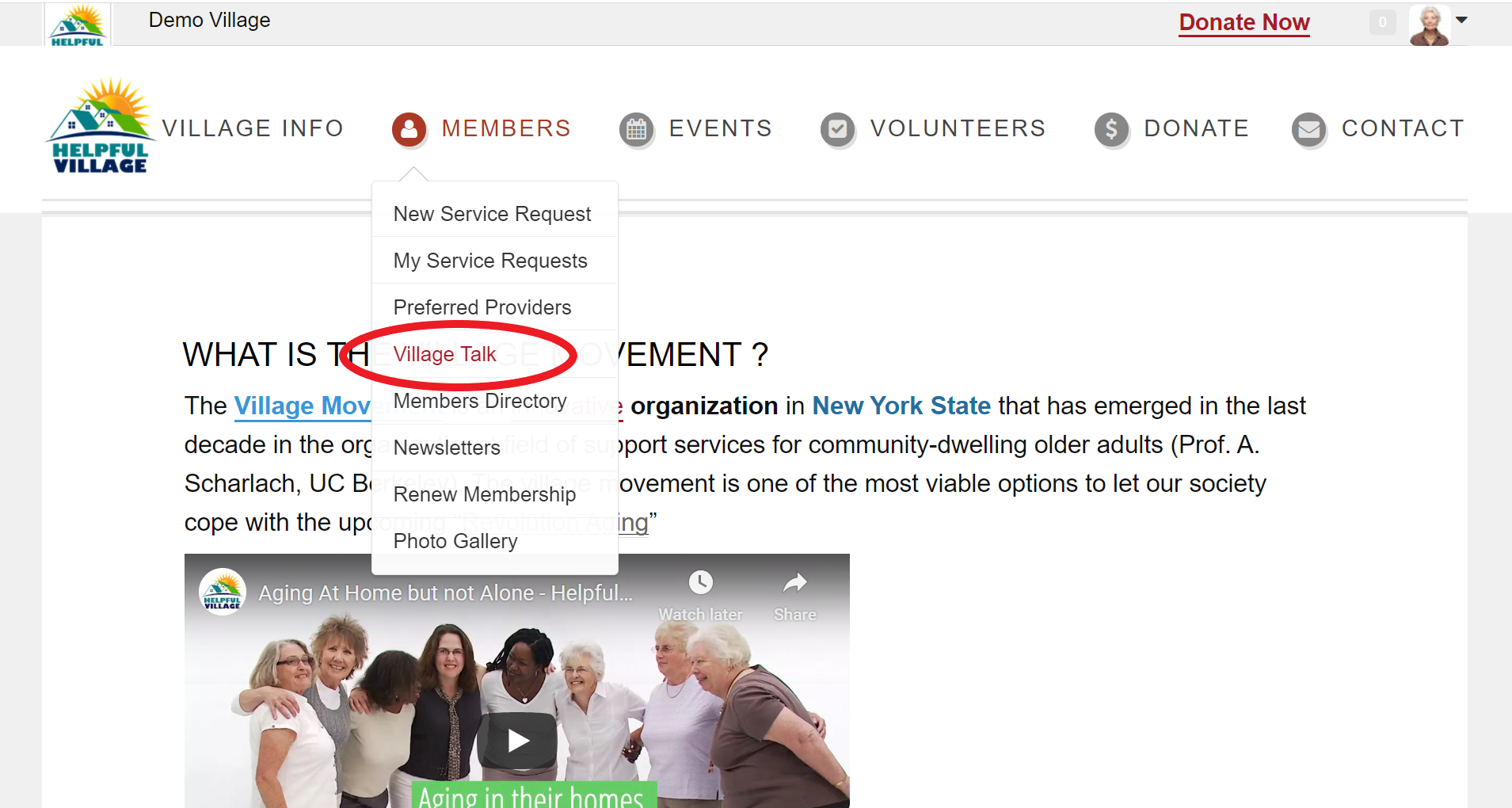
Go to Members -> Village Talk.
On the right hand side of the page, you will see "My Interest Groups". At the bottom of that box, you will see "Settings" with an icon of a gear in front of it. See image below:
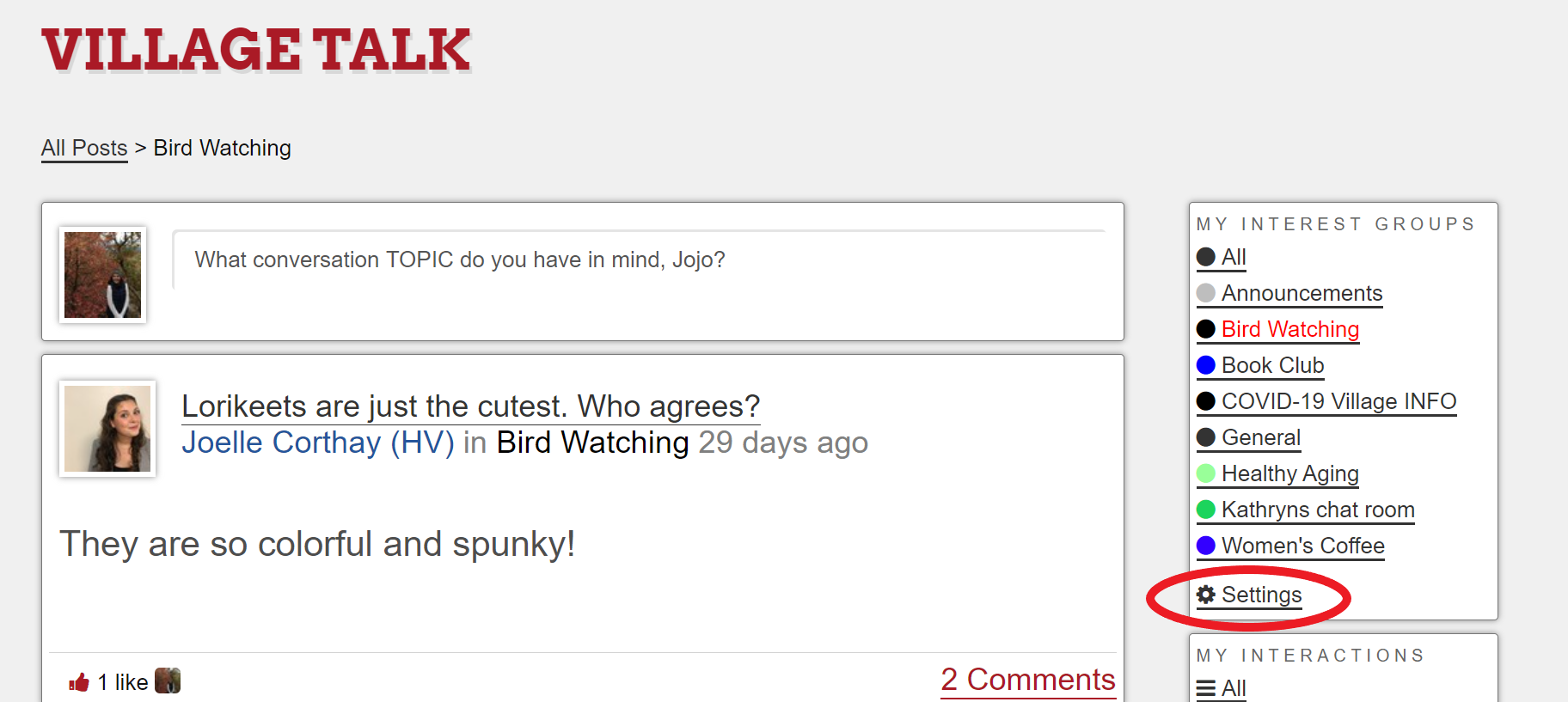
Click on "Settings" then you will see a page that looks like this:
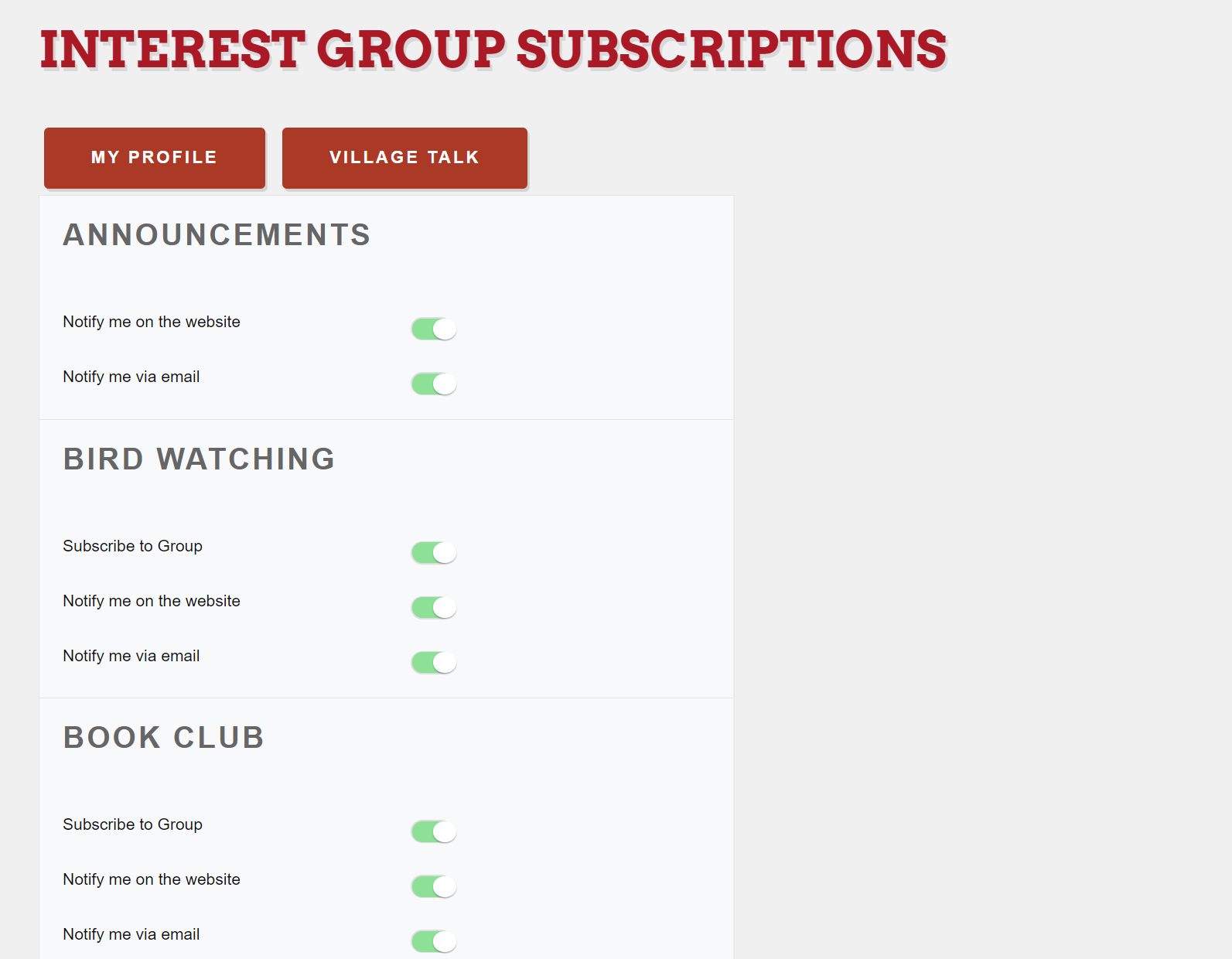
By clicking on the green button, you can turn off or on email notifications, website notifications and subscriptions to the group.
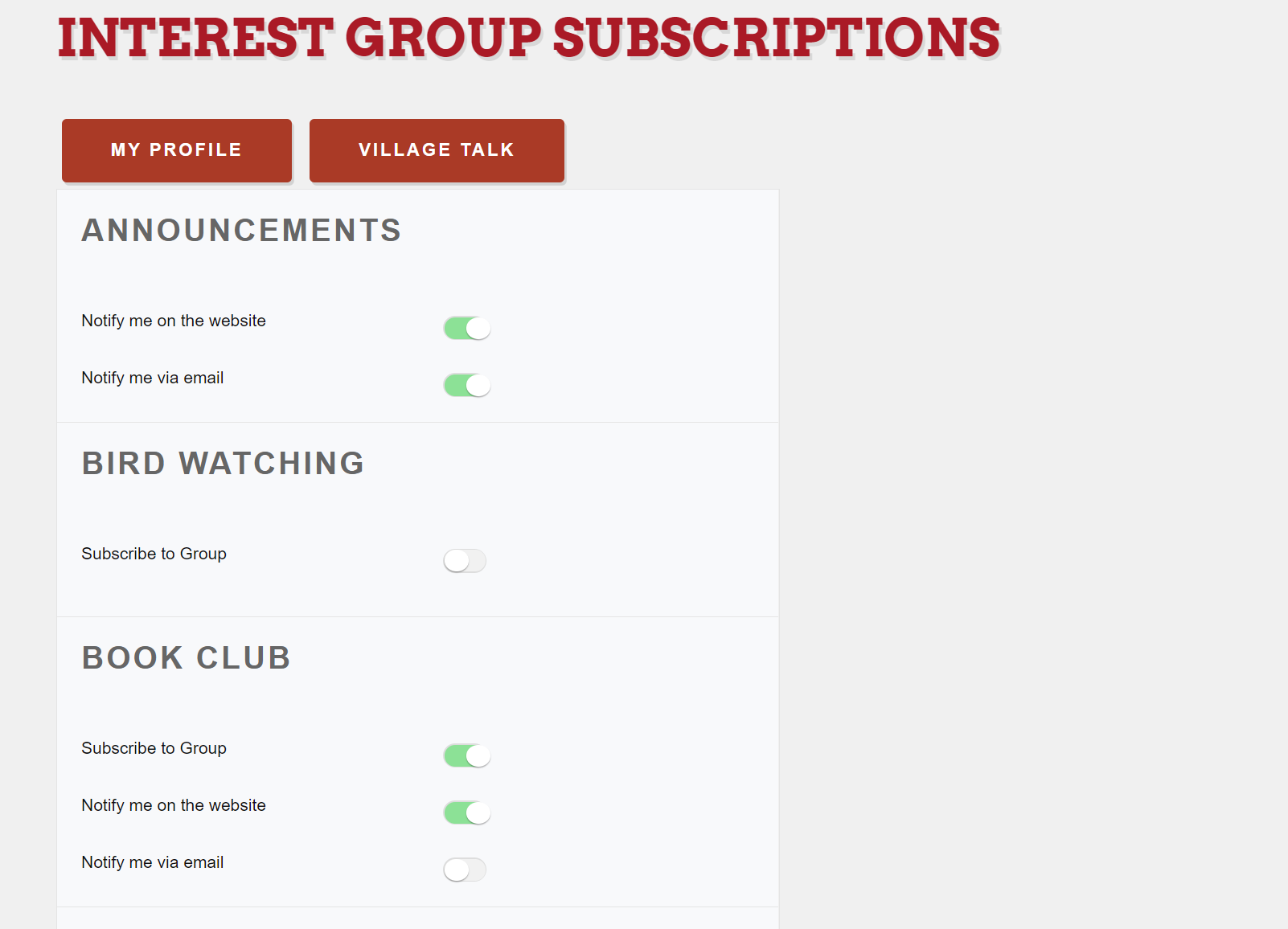
For instance, if you decided you were no longer interested in Book Club, you could click the green button turning the button grey, next to "subscribe to group" underneath book club. This would make you no longer part of the group.
If you wished to no longer receive emails from a group you are subscribed to you would click the green "notify me via email" button, turning it grey underneath the group that you would no longer like email notifications about. This would make your interest group subscriptions page look similar to the image below:
When you are done editing your interest group settings. Click the "Village Talk" button at the top or bottom of your page to return to Village Talk
Comments
0 comments
Please sign in to leave a comment.