
It is now possible for you to manage your documents library! The documents library works the same way as your menu manager.
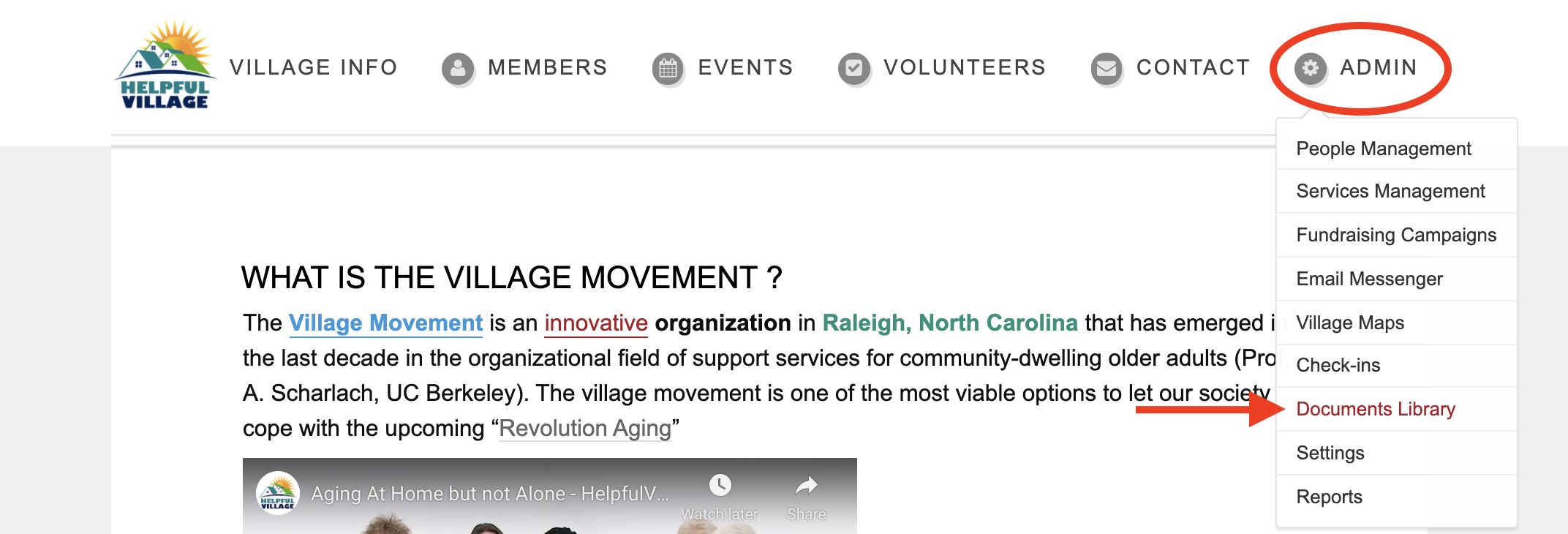
Go to Admin --> Documents Library
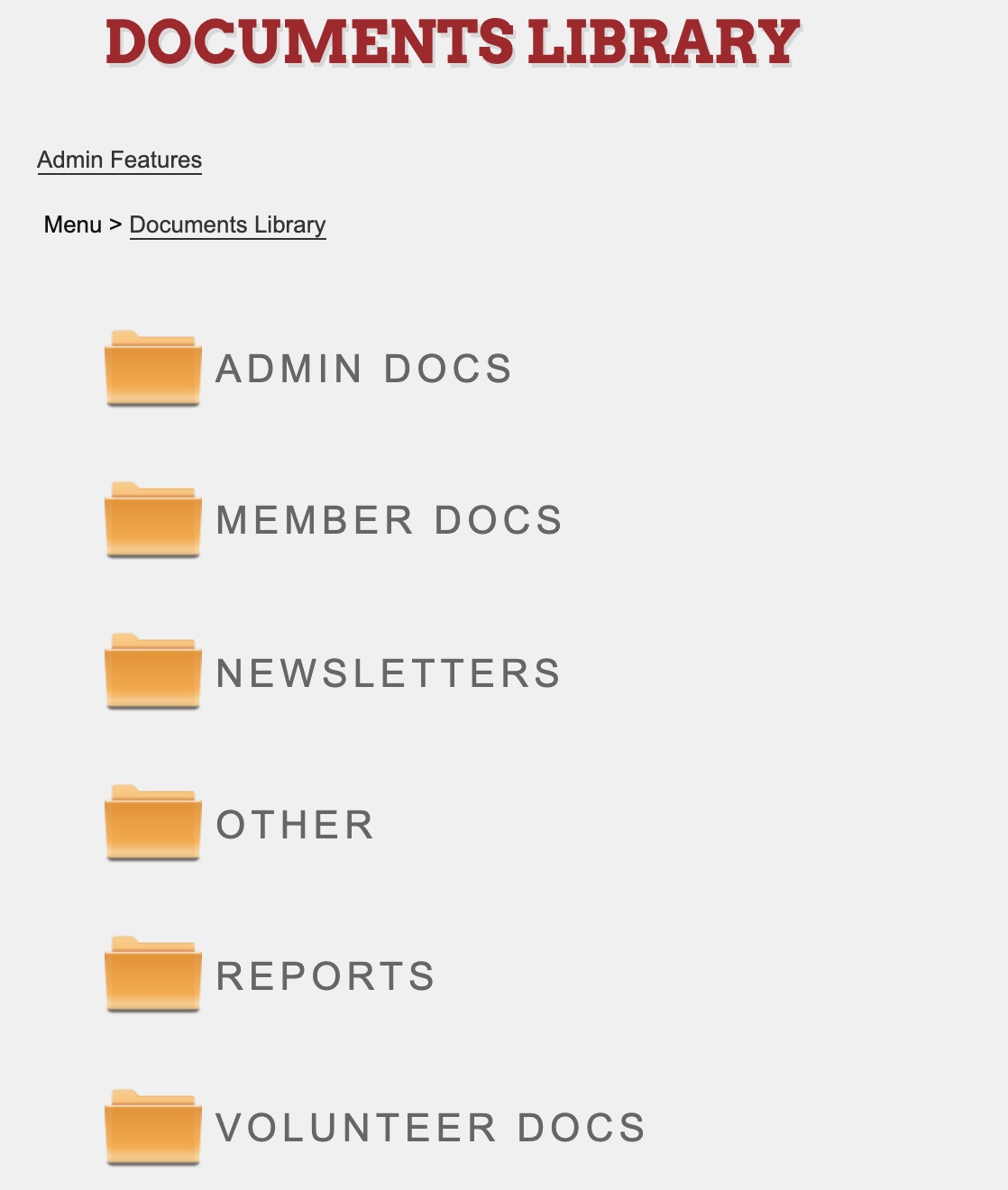
After you click "Documents Library," you will see your various document folders.
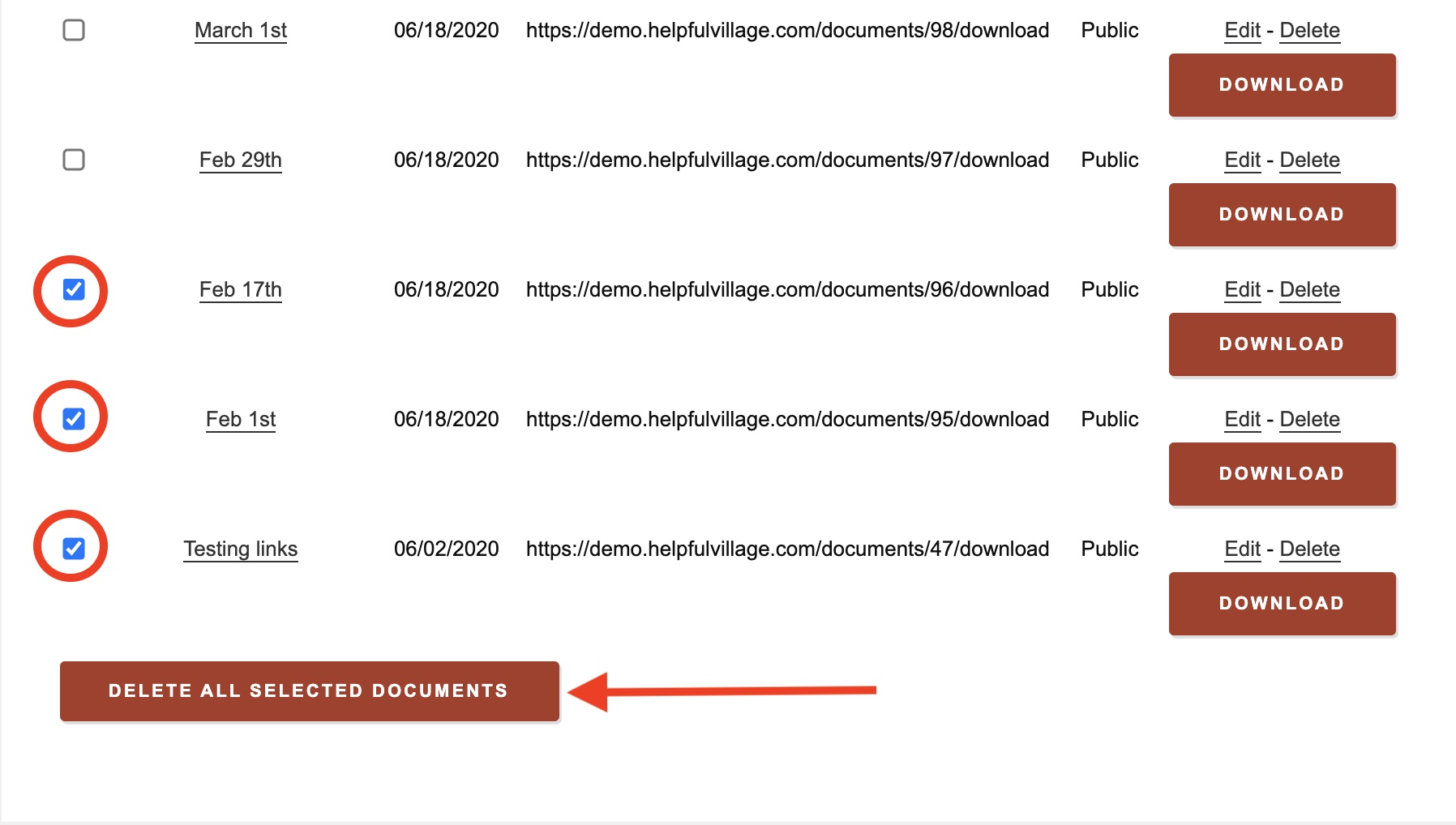
Upon clicking on a folder, you will see all of the documents within your chosen folder.
Here, you can delete your documents in bulk by checking as many of the boxes you would like and then clicking "Delete All Selected Documents."
NOTE:
You can only delete items in bulk within your chosen folder in the documents library. Within you documents library, you will find that some reports are underneath the folders. These cannot be deleted.
Check out this live demo: https://support.helpfulvillage.com/hc/en-us/articles/5666297328407-Live-demo-delete-documents-in-the-Documents-Library
Comments
0 comments
Please sign in to leave a comment.