
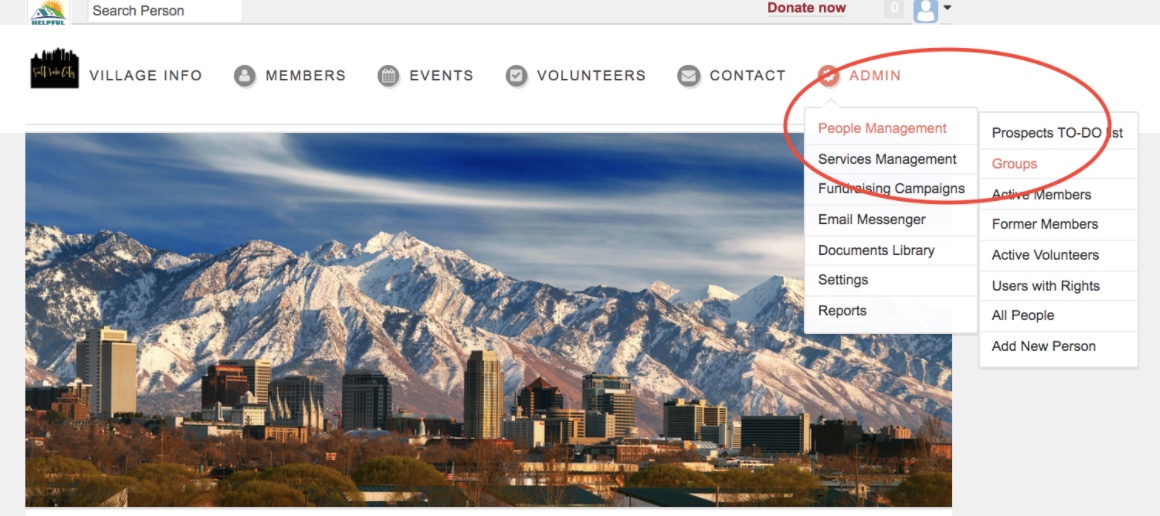
To view all of your mailing lists, you will first want to go to Admin --> People Management --> Groups
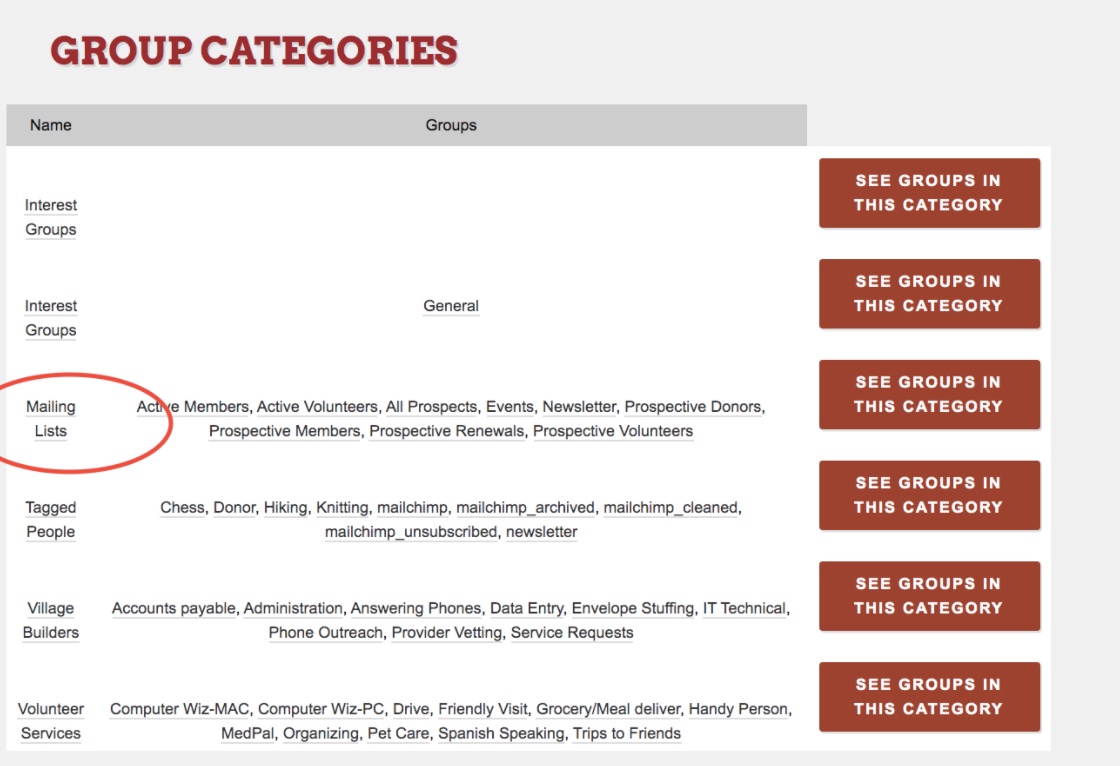
From there, you will be able to click on mailing lists.
NOTE:
For more information on how to add a person to the mailing list, you make CLICK HERE to be directed to our training article.
As you look through the various mailing list groups, you will see there are uneditable groups such as "Active Members, "Active Members and Active Volunteers, "Active Volunteers," "All Prospects," "Prospective Donors," Prospective Members," "Prospective Renewals," and "Prospective Volunteers."
For these uneditable lists, you need to create a prospect task in your desired category in order to add people to these lists. For further instruction on how to create a prospect task, CLICK HERE to be directed to our training article.
Comments
0 comments
Please sign in to leave a comment.