
Once you have written your topic, chosen your interest group, and you are writing the body of your text you can add a link within your post.
First write what you would like the link to say. For instance, "to view this site, click here". Then you highlight that section of text by clicking on the left-hand side of the text, holding down the click, and moving it to the right hand side of the text.
Next, you click on the icon that looks like a chain.
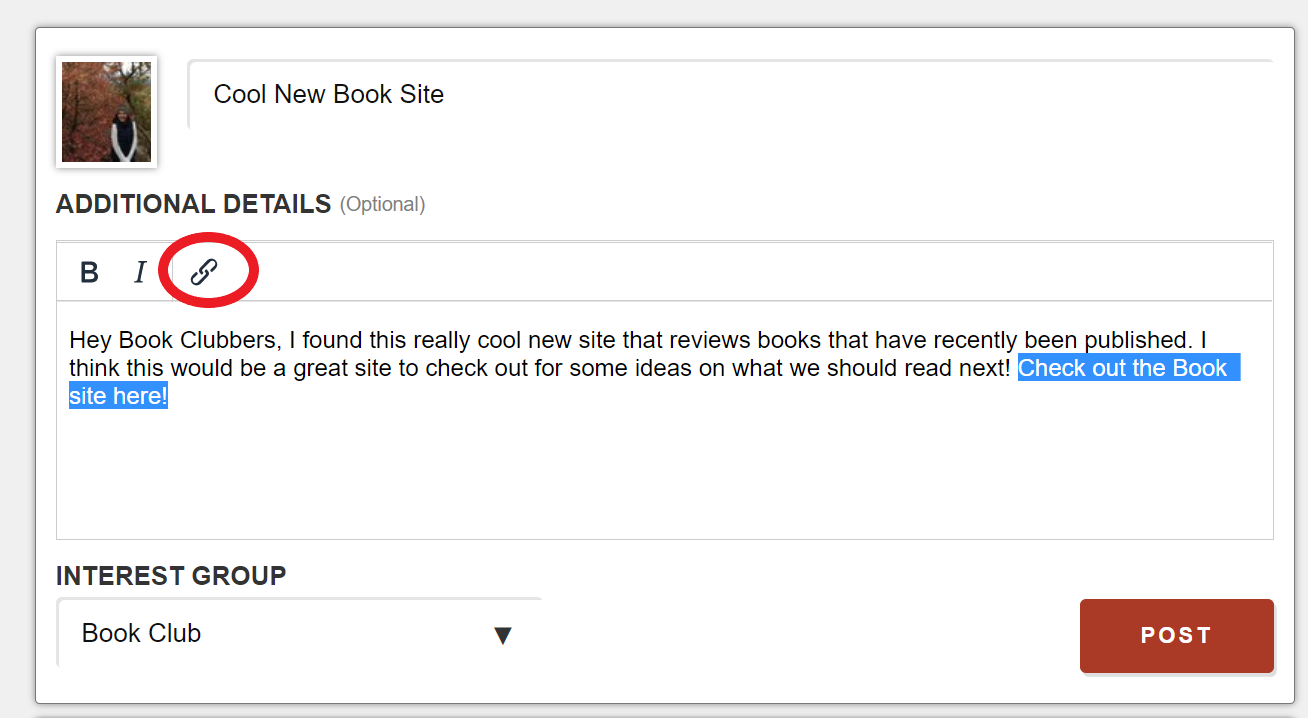
Once you click on the link icon, this box will pop-up.
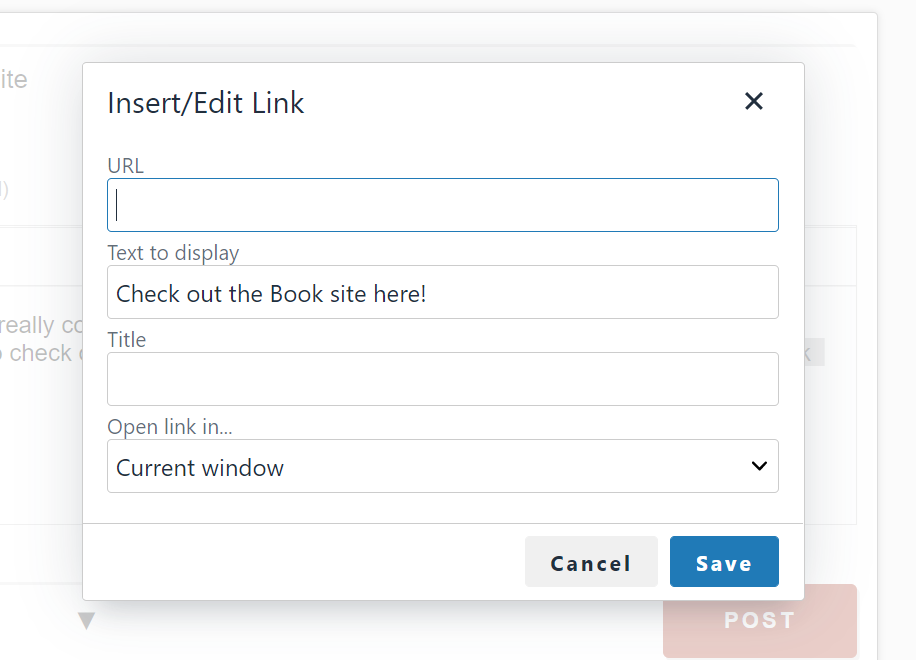
In the bar that is titled URL, you will copy the URL from the site you would like people to see, and paste it into the URL bar (To copy and paste, highlight the URL like we did earlier with the text, then right-click and select copy. Come back to this box, right-click in the URL bar and select paste).
The text to display bar will have the text you highlighted earlier in it. You can leave the Title bar empty.
You can choose whether or not you would like the link to open in the current window (taking users out of Village Talk) or open in a new window.
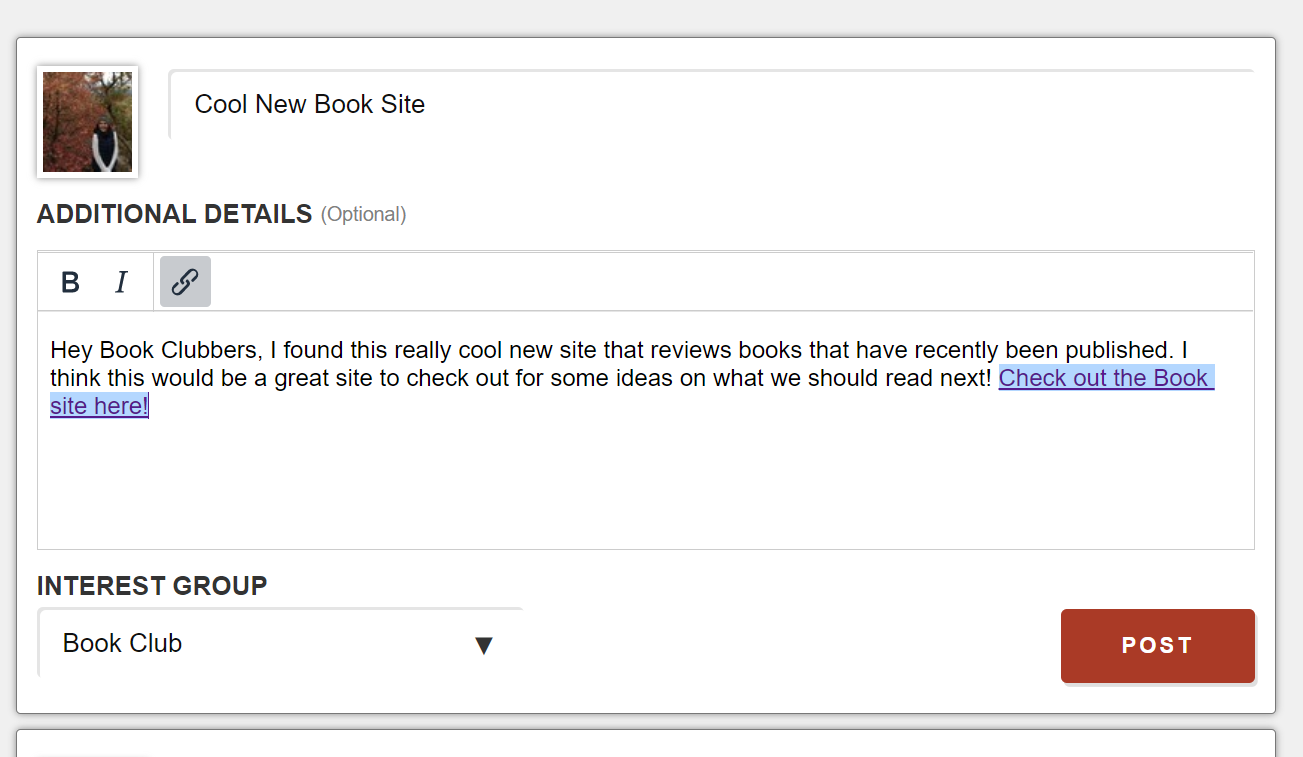
Once you have done this, click on save. Your post will now include a link and will look like this:
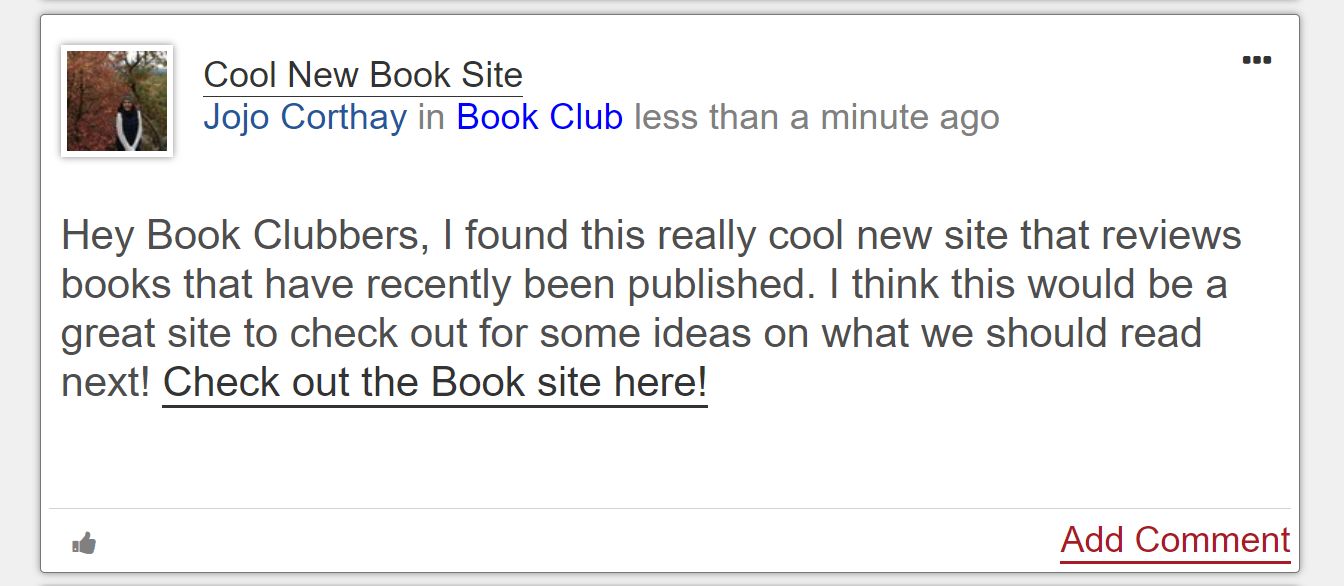
Make sure to post it when you are done by clicking the red "Post" button! When it is finished and posted, it looks like this:
Comments
0 comments
Please sign in to leave a comment.