
Sign in to your Google Search Console:
https://search.google.com/
Adding your domain to Google Search
If your village has its own domain such as www.marinvillages.org you should add that property first.
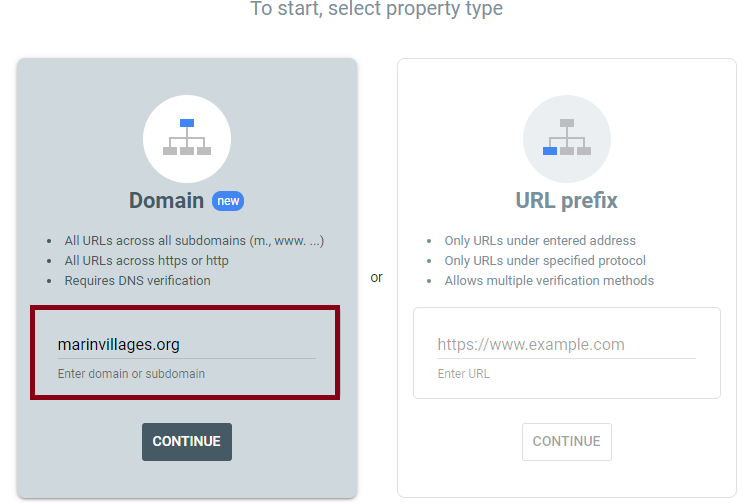
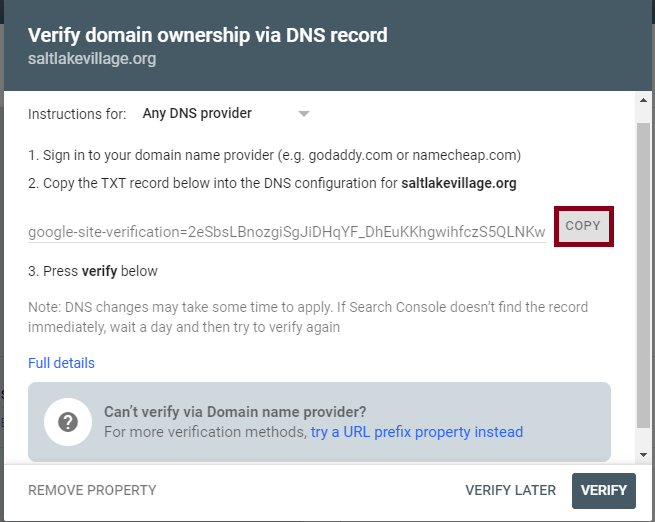
Google wants to verify that you are the owner of that domain name, so they will ask you to add a TXT record to your DNS. The image below shows how to add that record on Google Domains (similar process on Godaddy, etc.).

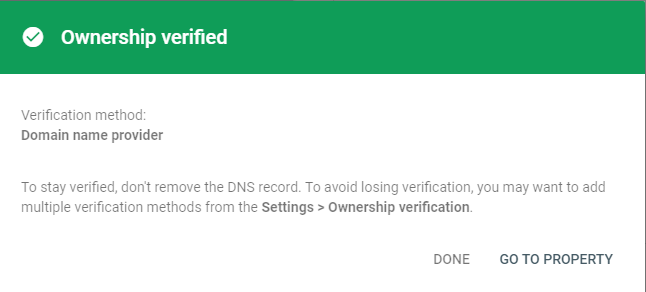
And then on Google Search, you can finish verifying ownership of the domain.
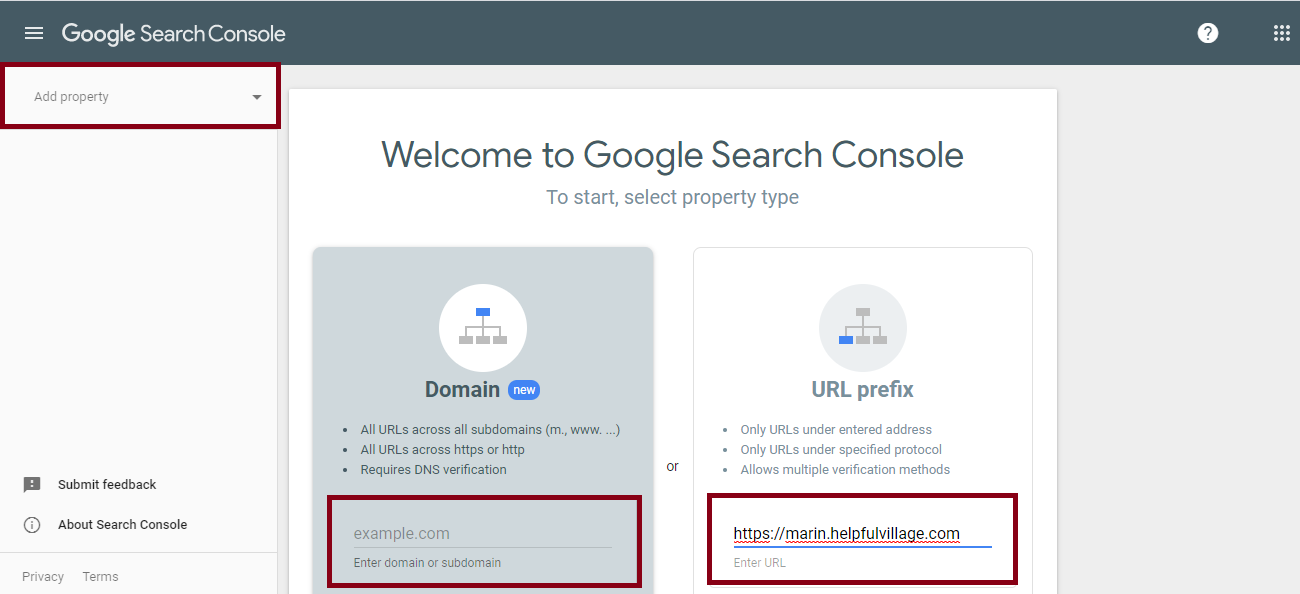
You will also need to add another property for your helpfulvillage.com subdomain- ie https://marin.helpfulvillage.
Add both properties to Google Search Console. Click on the upper left hand corner button called "Add Property". Then you can enter a domain (marinvillages.org) or a URL prefix (https://marin.helpfulvillage.com)
Then download the file, press on the button. Send it to HV Support Team.
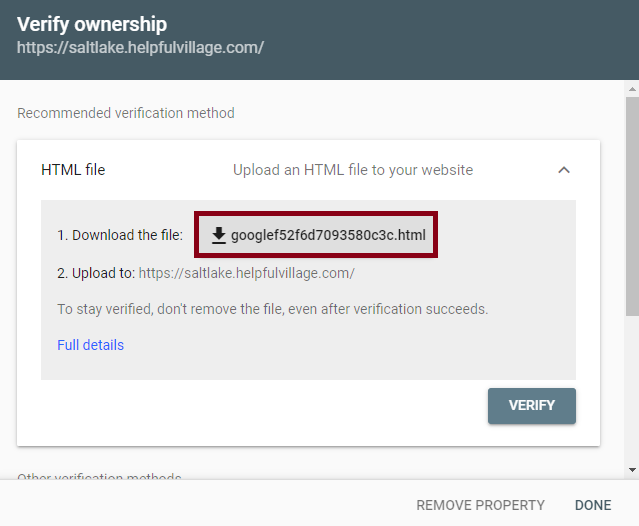
Once support replies to you, please press the VERIFY button.
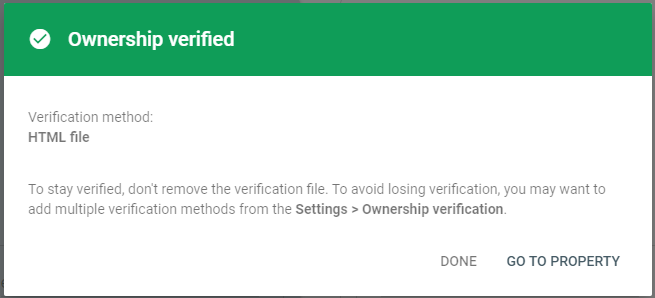
Submitting your sitemap to your main domain property
Now, enter your sitemap.When adding the sitemap sitemap.xml needs to be included with the full url.
Your sitemap is "https://www.yourdomain.org/sitemap.xml"
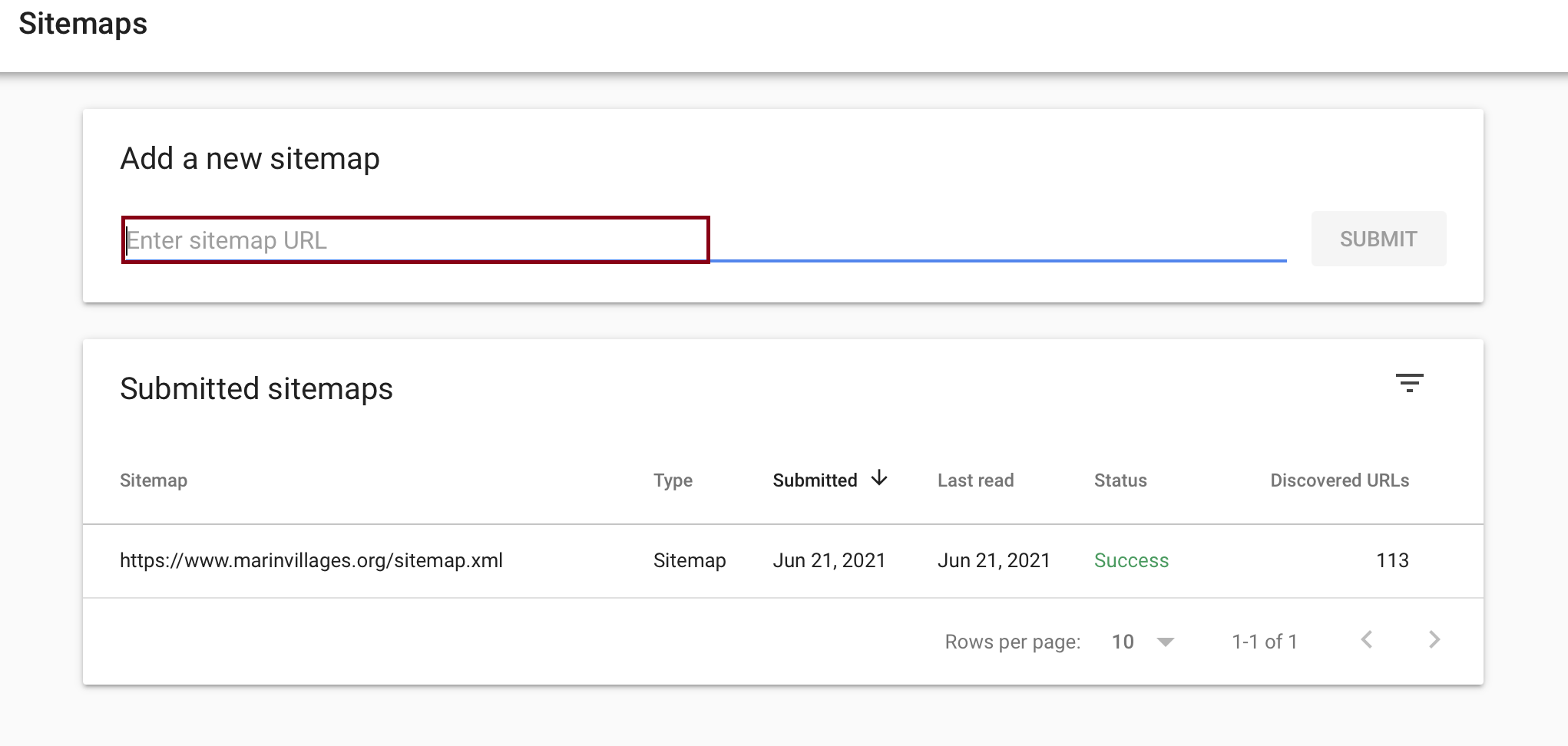
Once, you submit the sitemap you may check out the status to see if it is a "success".
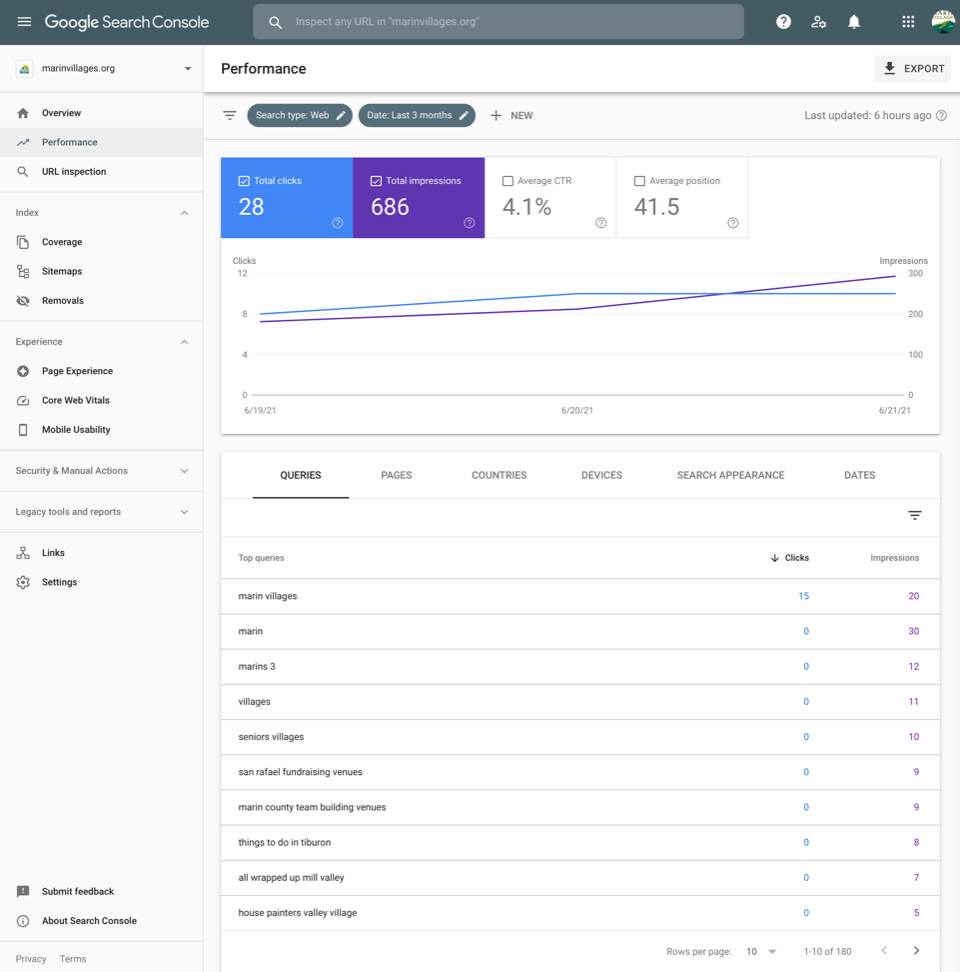
After a while, Google will start displaying data about the Search performance of your website:
Connecting Google Search with Google Analytics(Optional)
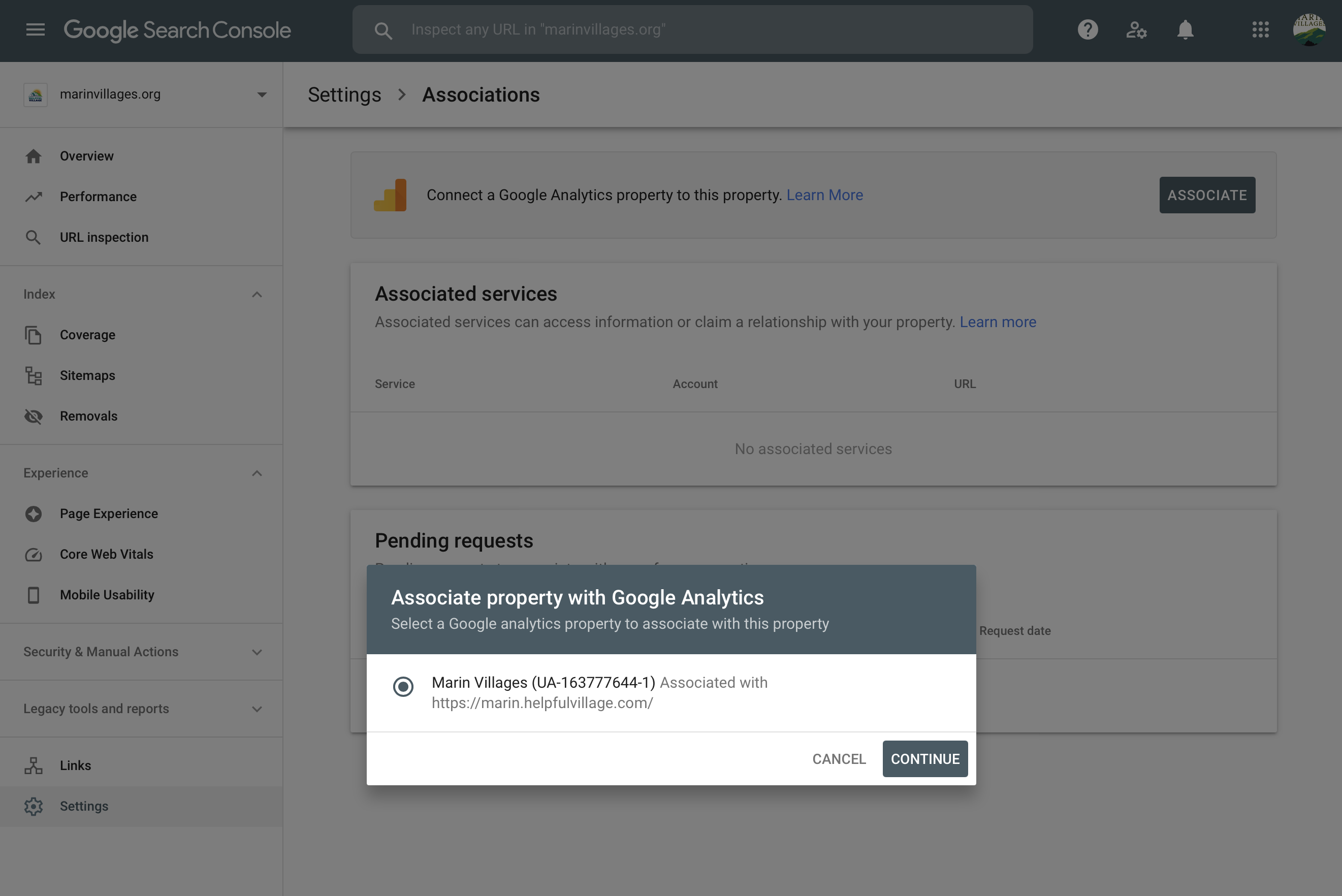
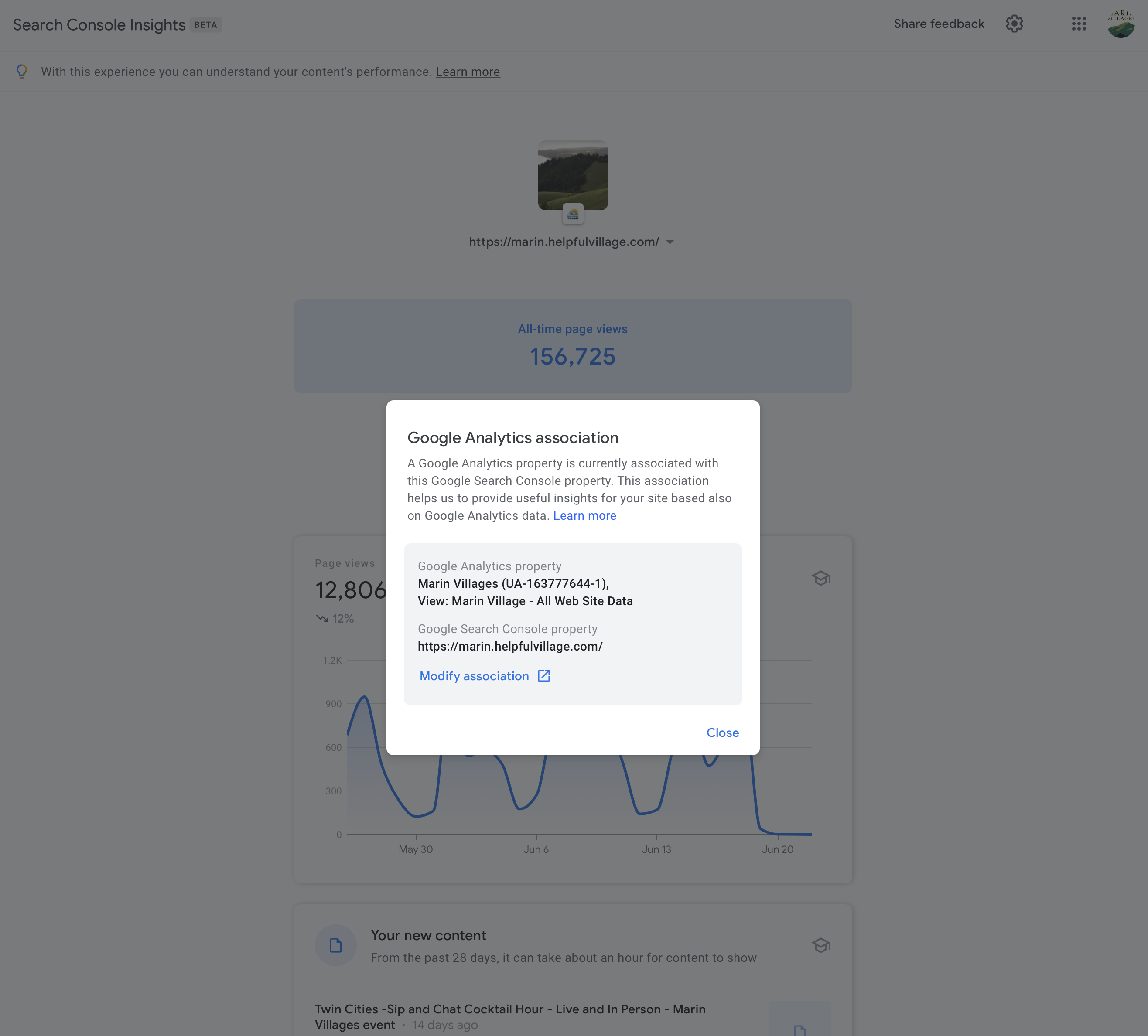
If you have a Google Analytics account, you may also want to go to Settings and associate the Search Console property with your Google Analytics property. Settings-->Associations and enter the url https://marin.helpfulvillage.com/-->Click on Continue
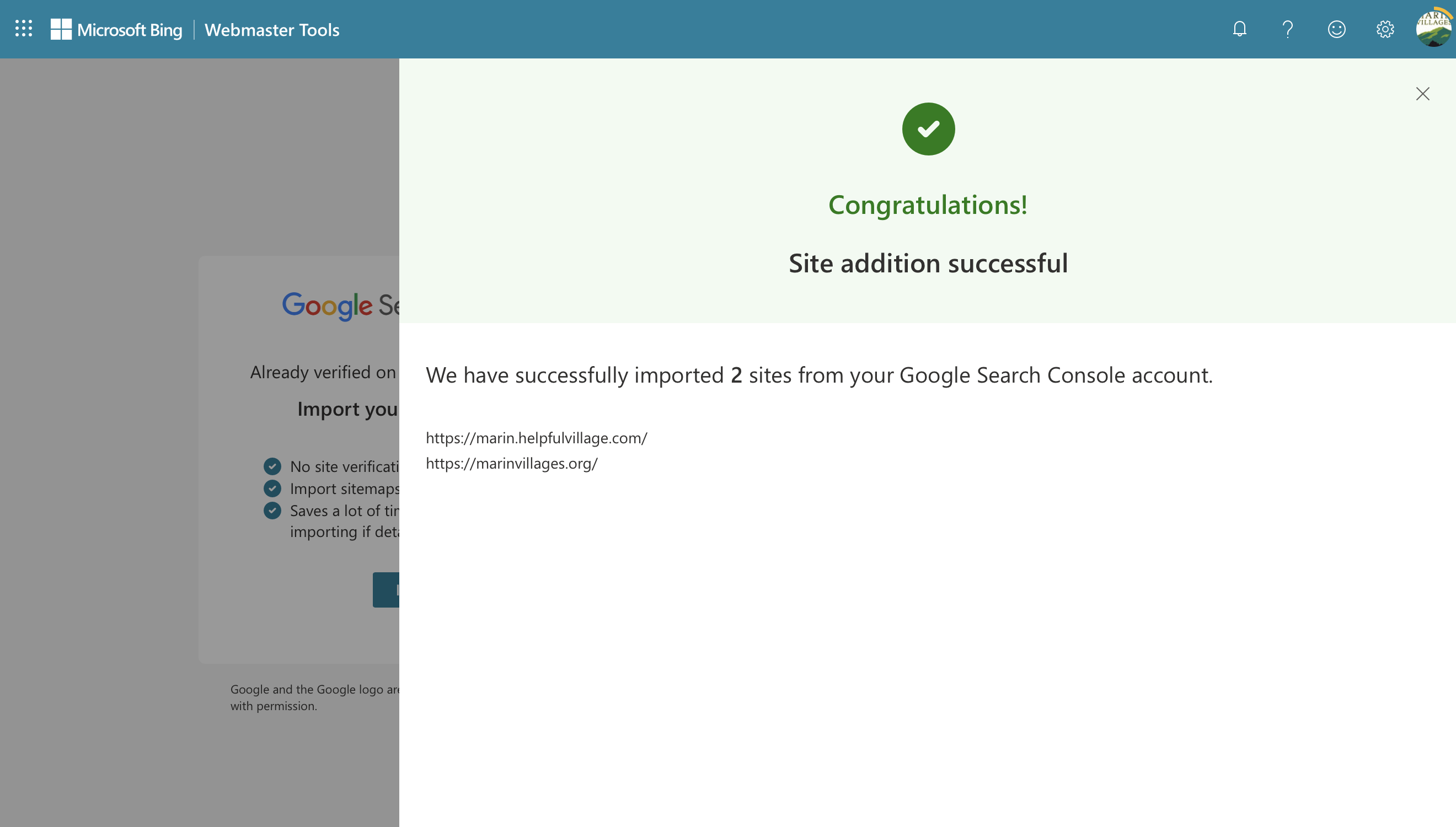
Submitting your sitemap to Bing
Comments
0 comments
Please sign in to leave a comment.