
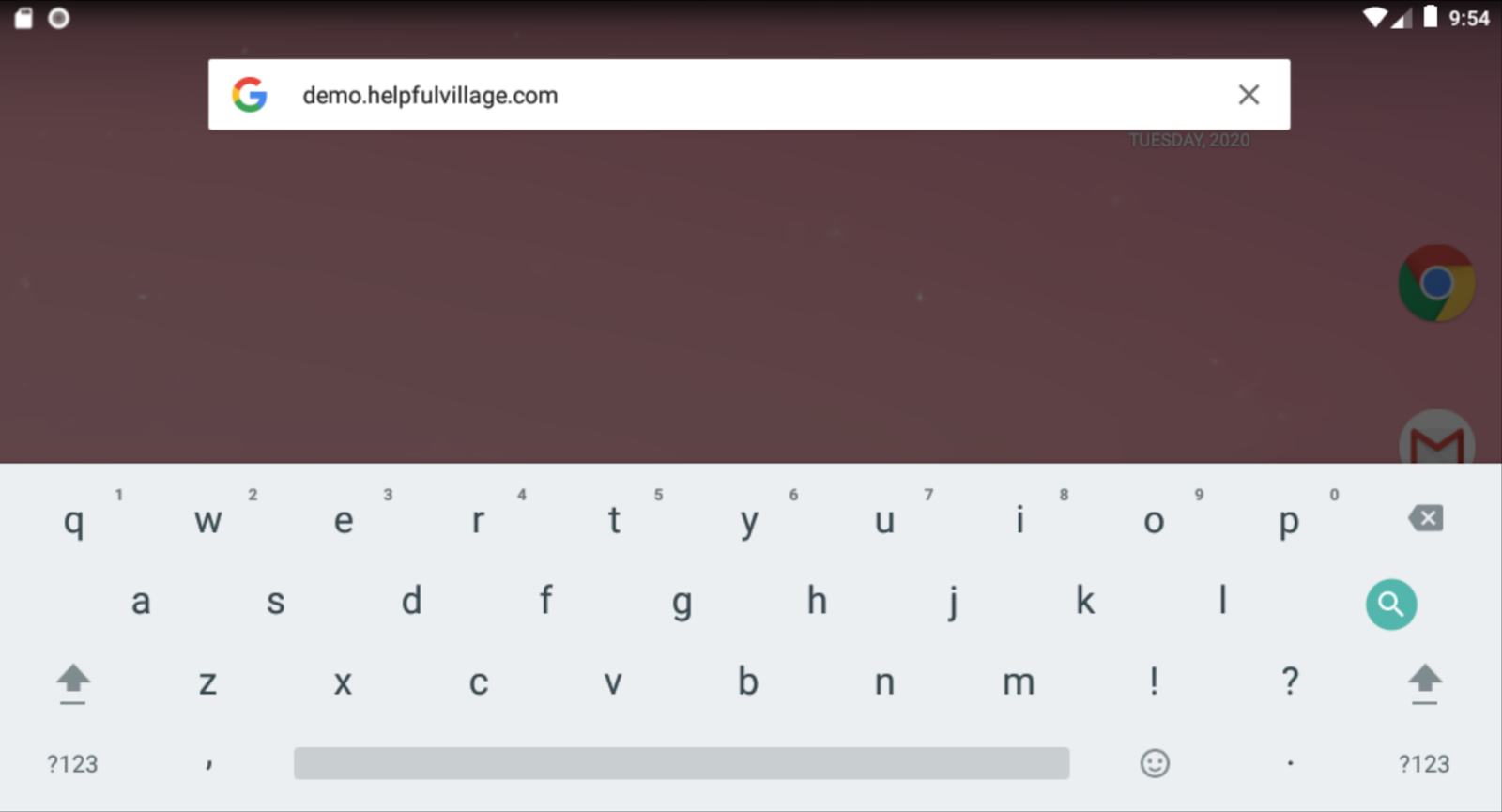
Open browser and search for your village.
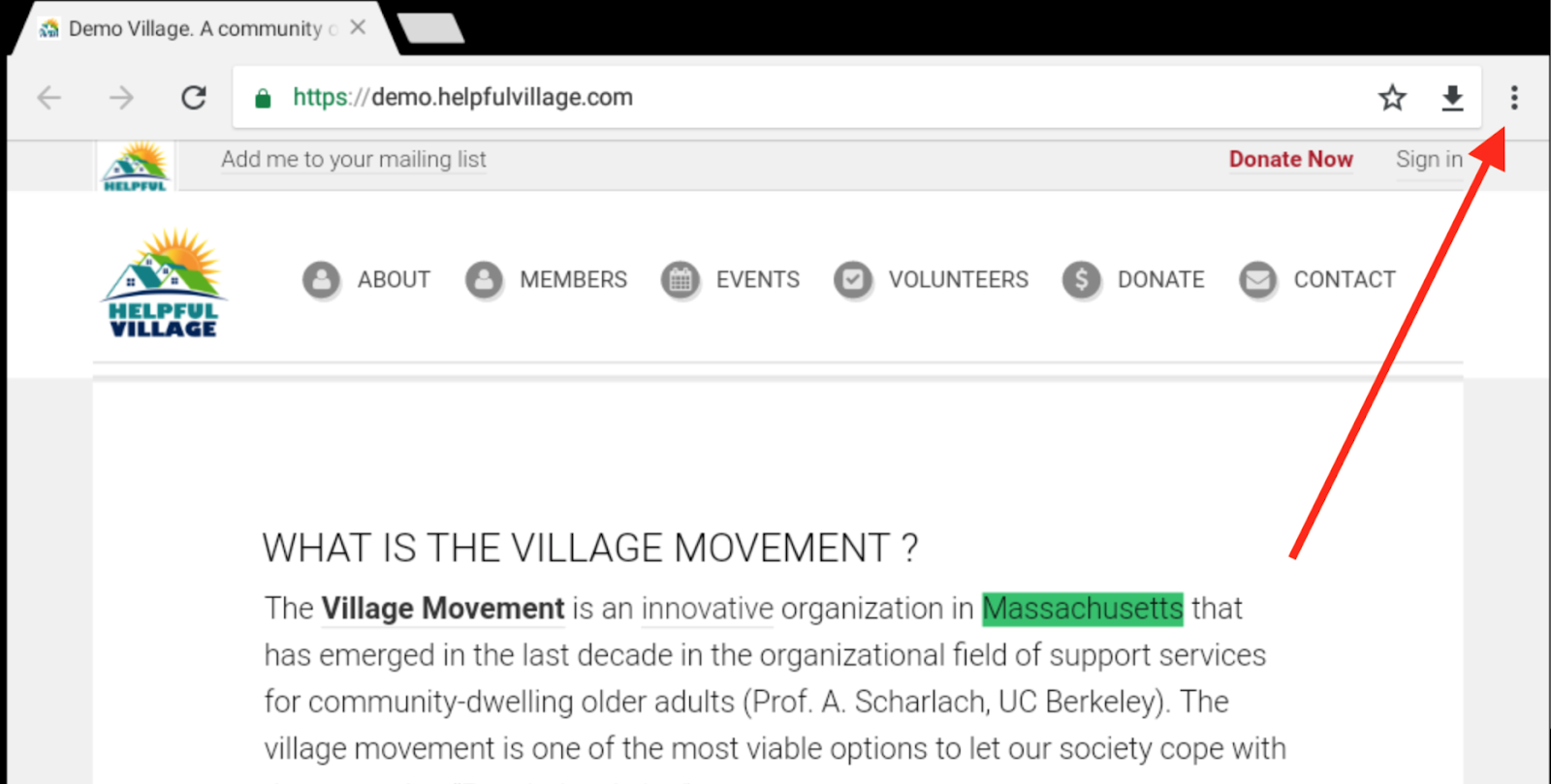
Once you are on your Village website you can click the three dots in the top right corner!
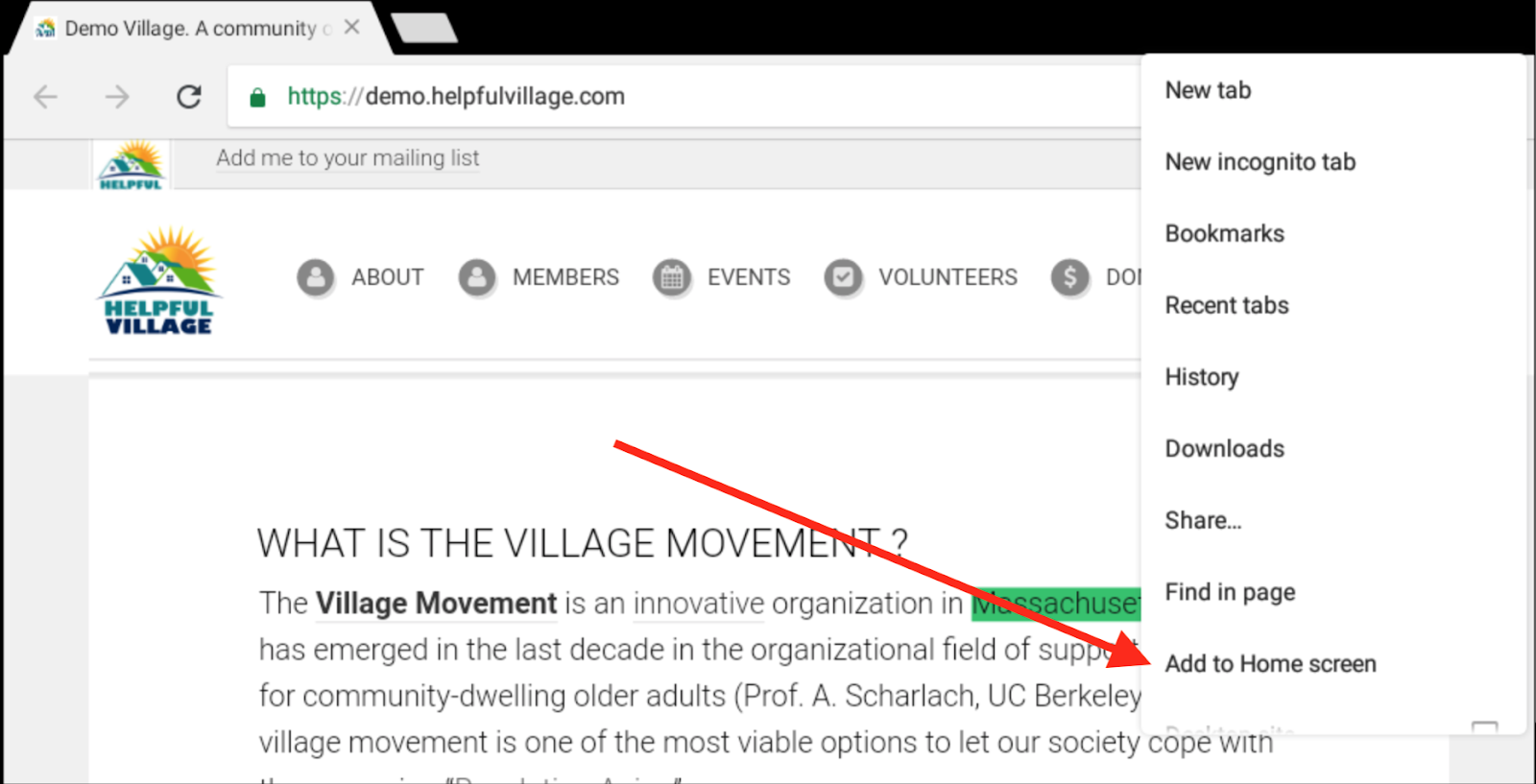
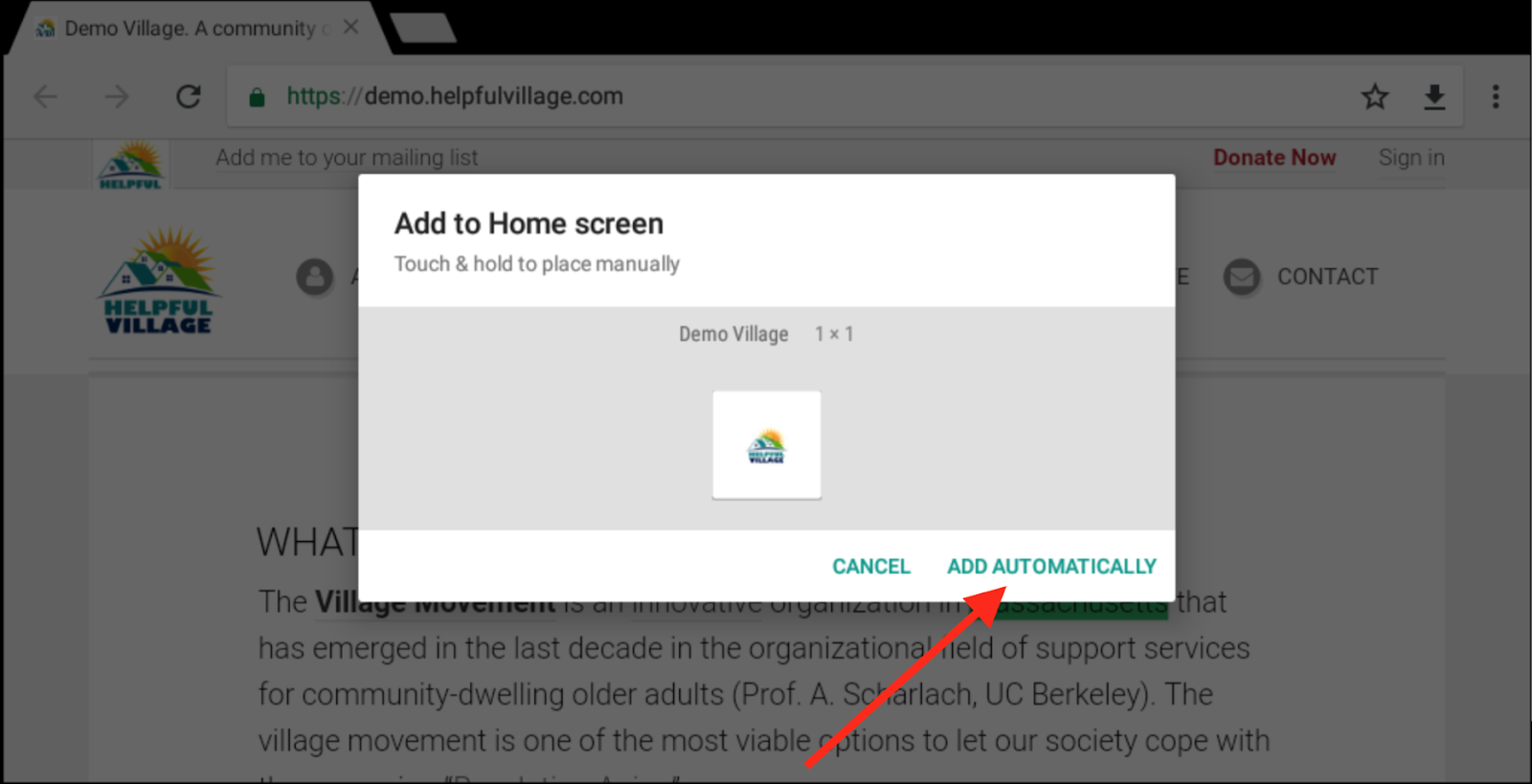
When the menu pops up click on “Add to Home screen”.
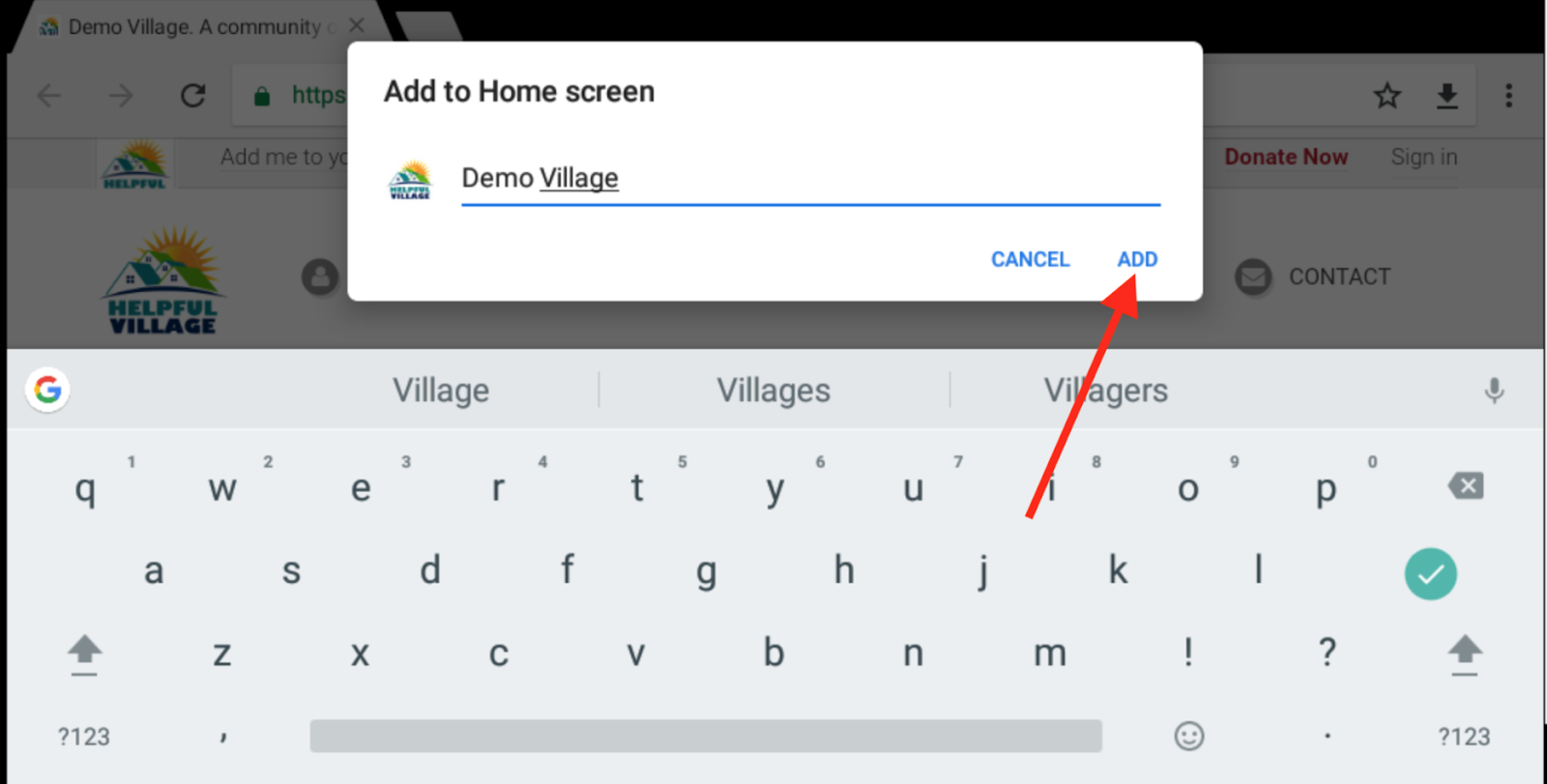
- Enter in the name that you want the App to be called.
- Suggested: “Your Village Name”
- Press “add” when finished.
Press “Add Automatically” to finish the process!
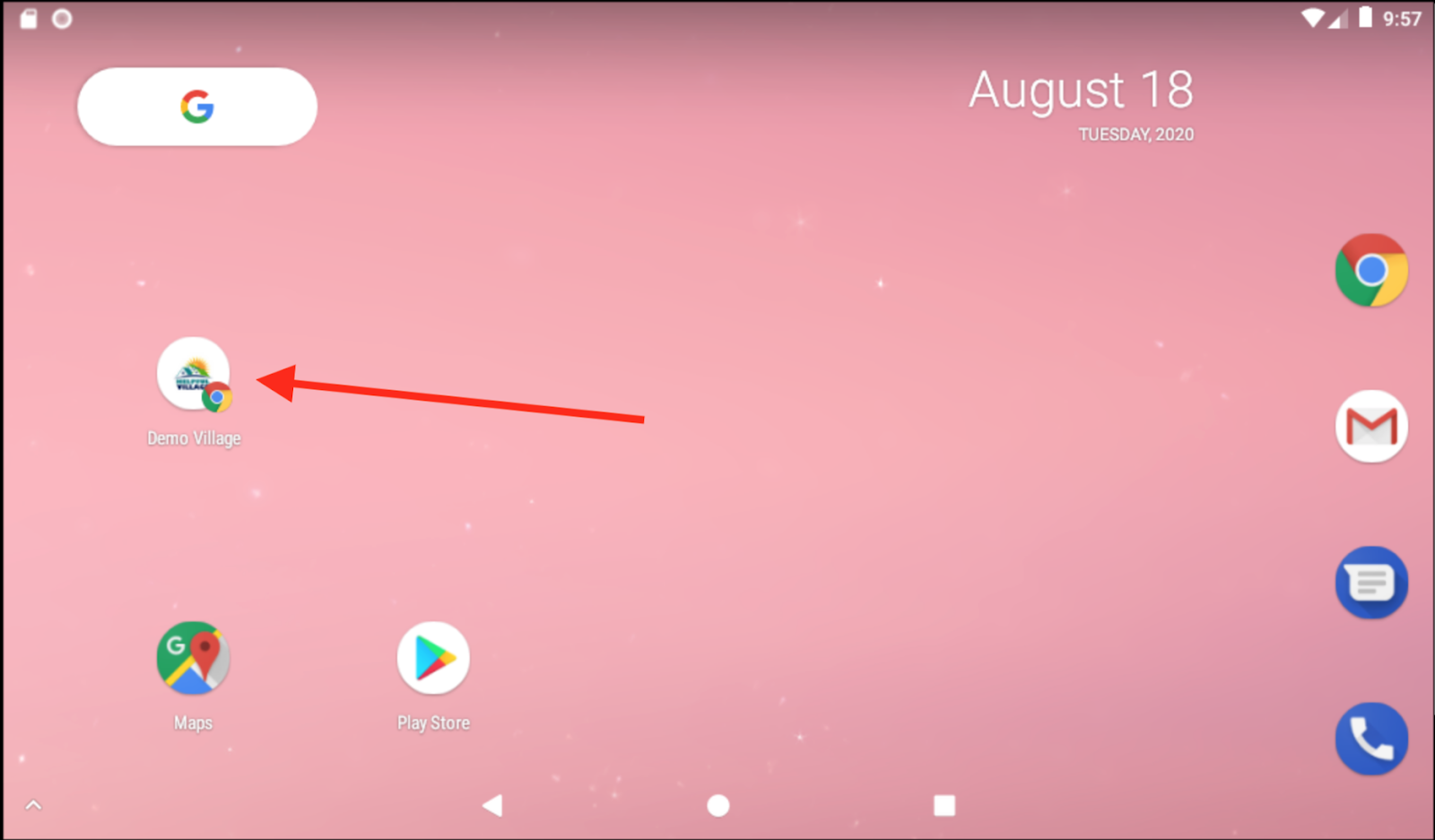
Now you can enjoy using your Village app on your phone!
Comments
0 comments
Please sign in to leave a comment.