
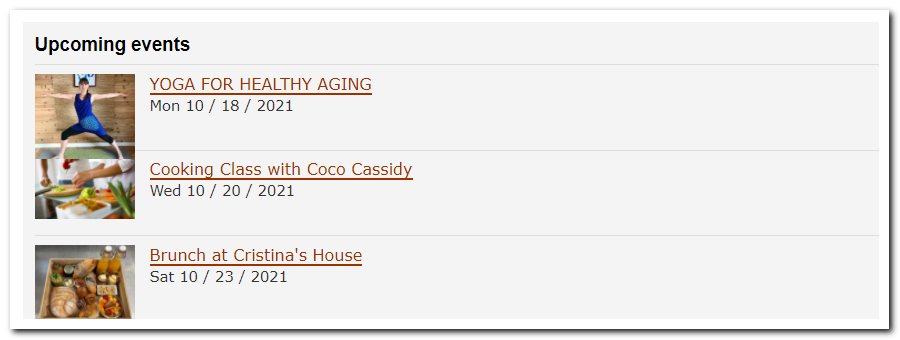
This is how it looks like
How to upload your code:
- Go to your website and decide the page you want the box on
- Then go to your editable pages
- Select edit on the page you want it on
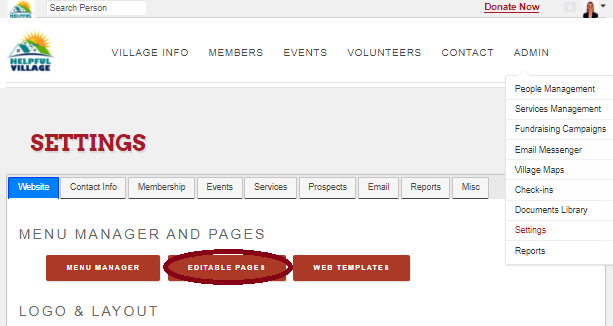
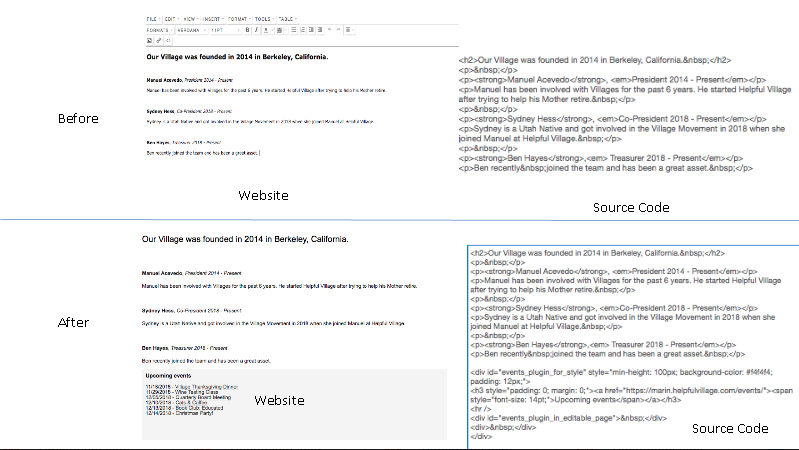
- Open the source code and paste in your box where you want it.

Step 1: Constructing the code

Though this may look like a lot most of it is pre-constructed and only requires a few modifications to get up and running.
Line 1:
<div id="events_plugin_for_style" style="min-height: 100px; background-color: #f4f4f4; padding: 12px;">
- This first line is the setup and cosmetics of your box.
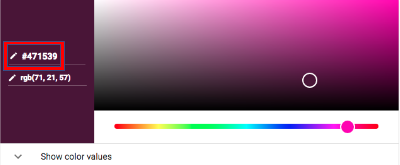
- The only one you will really care to modify is the Color.
- Set this by going HERE and selecting a color on the bar, then copying the code and pasting it in the bolded region instead of the current text.
Line 2/3
<h3 style="padding: 0;margin: 0;"><a href="https://marin.helpfulvillage.com/events/"><span style="font-size: 14pt;">Upcoming events</span></a></h3>
<hr />
- This line sets what you are referencing to fill your box.
- To modify this simply put your events page URL between the quotes and it will pull directly from there.
- EX https://village.helpfulvillage.com/events/
Line 3/4
<div id="events_plugin_in_editable_page"> </div>
</div>
- You can ignore these lines as they are already good.
Additional features:
You may if you would like to limit your event box by: days, number of events, type, neighborhood (area)
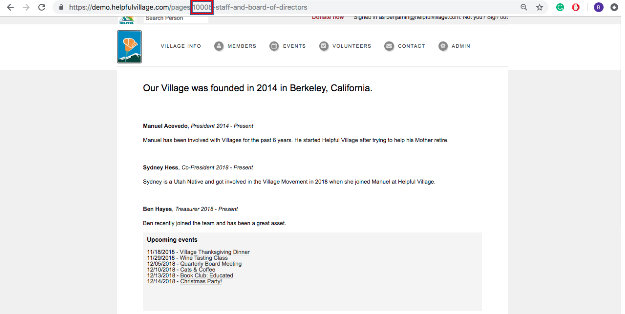
- Find the page number of the page you added the box to (10005 in our case)
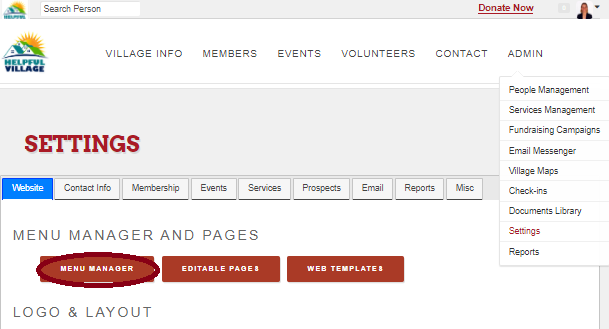
- Go to settings, menu manager and select the page
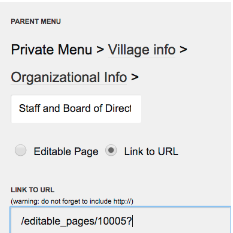
- Select "link to url" and type in the following with your page number /editable_pages/NUMBER?
- Once you have completed the steps, to modify the box, paste this code in after the ?
Limit box by days: limit_by=30_days
Limit box by events: limit_by=10_events
Short display style: display_style=basic_1
Long display style: display_style=basic_2
Medium display style: display_style=basic_3
For hub and spoke villages: neighborhood=ACRONYM
Event category: event_category_ids_filter=NUMBER
(Sets specific categories of events to use (under admin, settings, config event categories. Edit the one you want, and the number will display in the information.)
Comments
0 comments
Please sign in to leave a comment.