
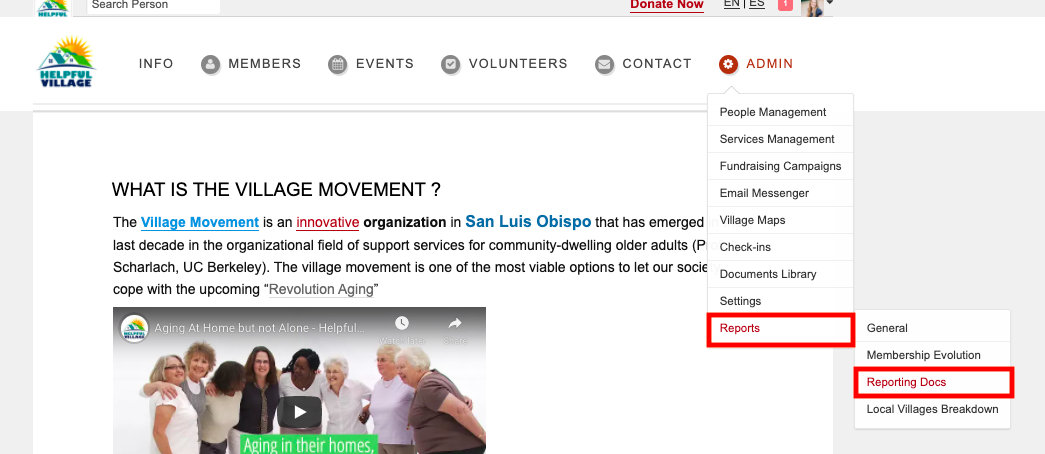
To view volunteer activity grouped by category → Admin → Reports → Reporting Docs
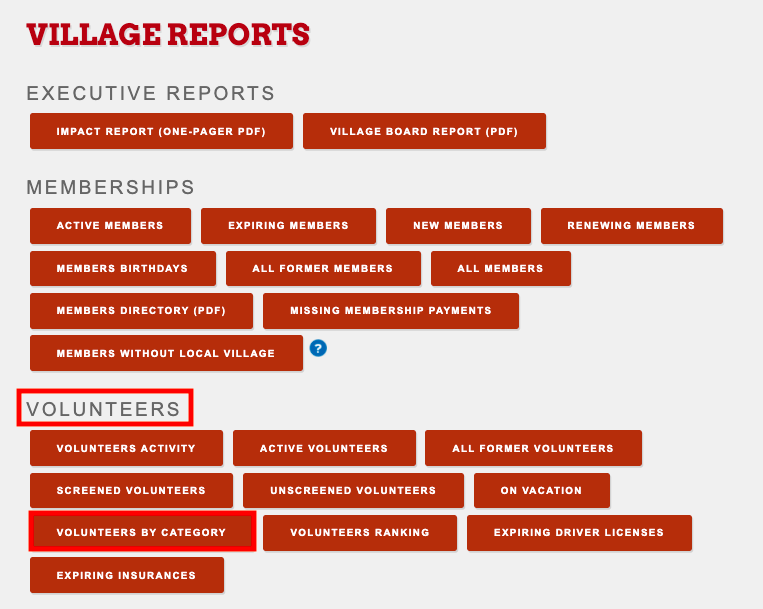
Once on the Village Reports page → scroll to ‘Volunteers’ section → ‘Volunteers by Category
You will then be able to select the dates for the desired reporting period → select ‘Create Report’
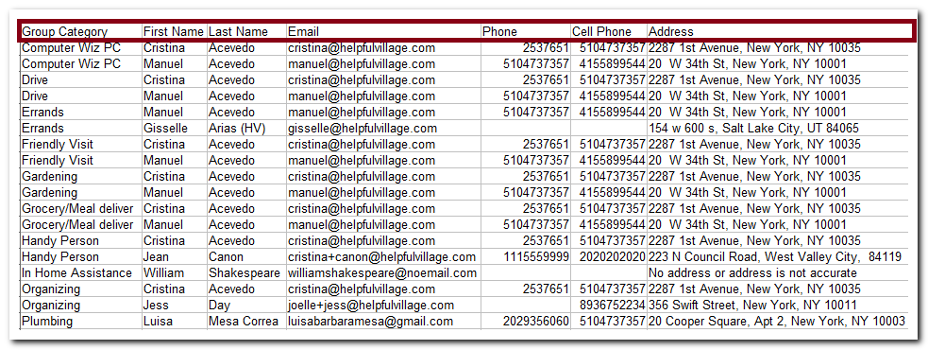
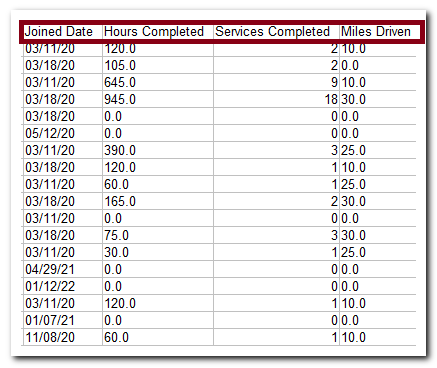
The report will download as a table and will look like this:
Check out this live demo: https://support.helpfulvillage.com/hc/en-us/articles/5606396460311-Live-demo-Volunteers-by-Category-report
Comments
0 comments
Please sign in to leave a comment.