
Click "Events" --> "Events List"
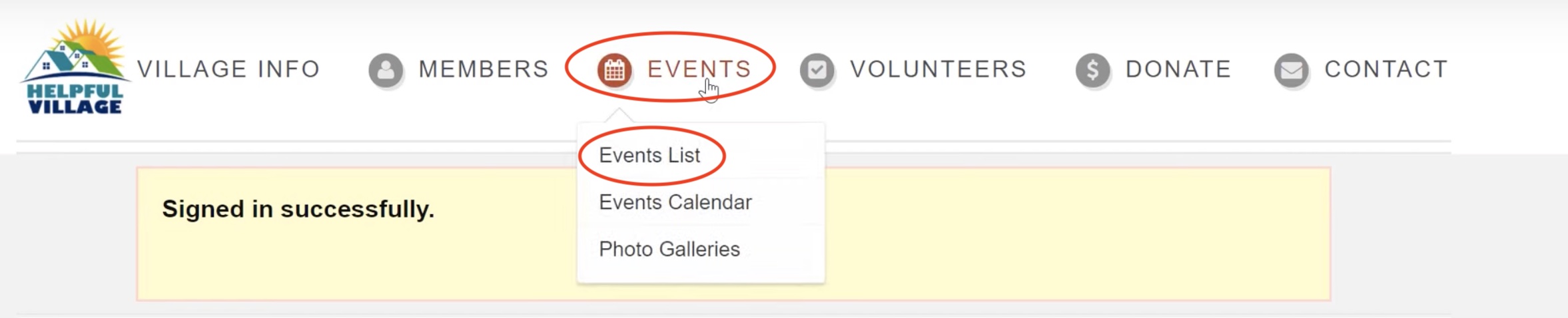
Once you see the list of your events, click on the one you would like to join.
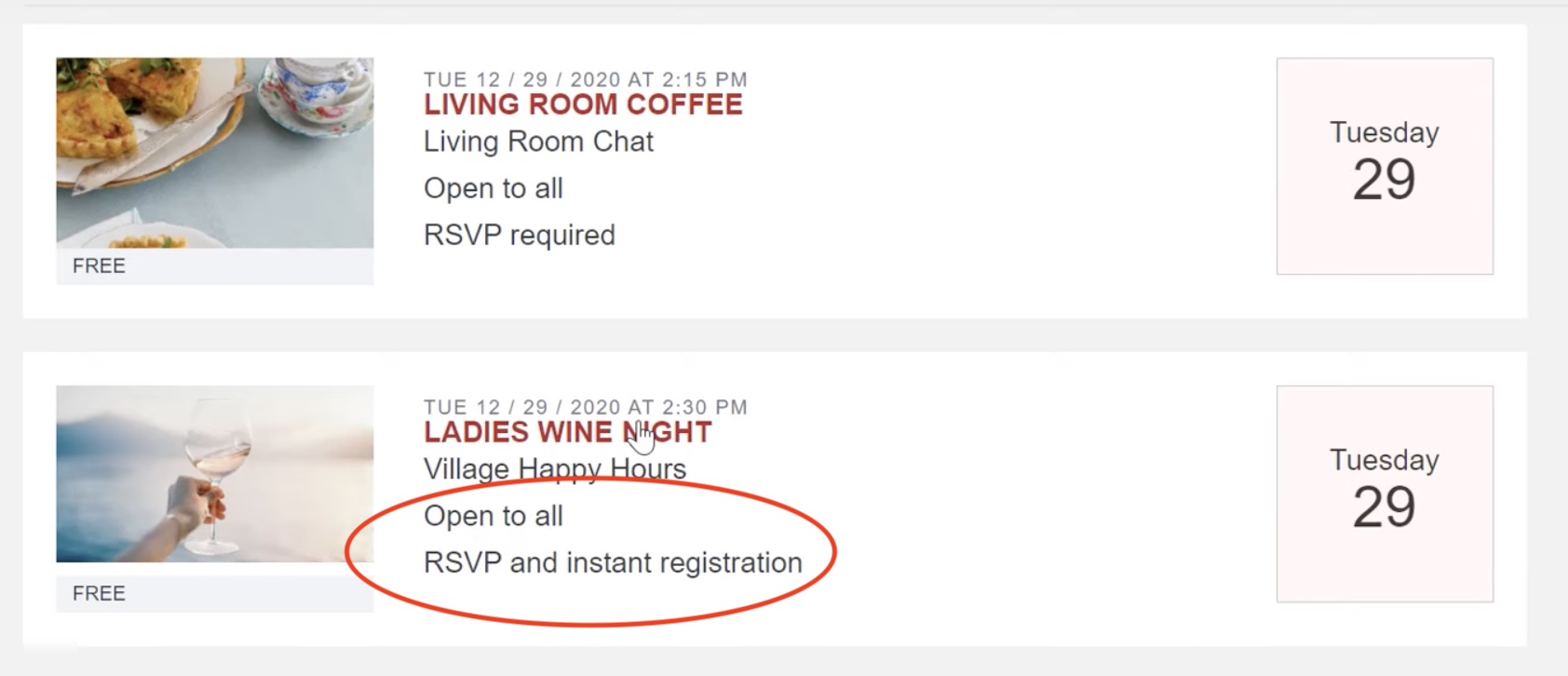
NOTE:
If an event says "RSVP Required," you need to register in advance for the event. If an event says "RSVP and Instant Registration," you do not need to register in advance.
Click "Join Online Meeting."

Click "Open Zoom Meetings."
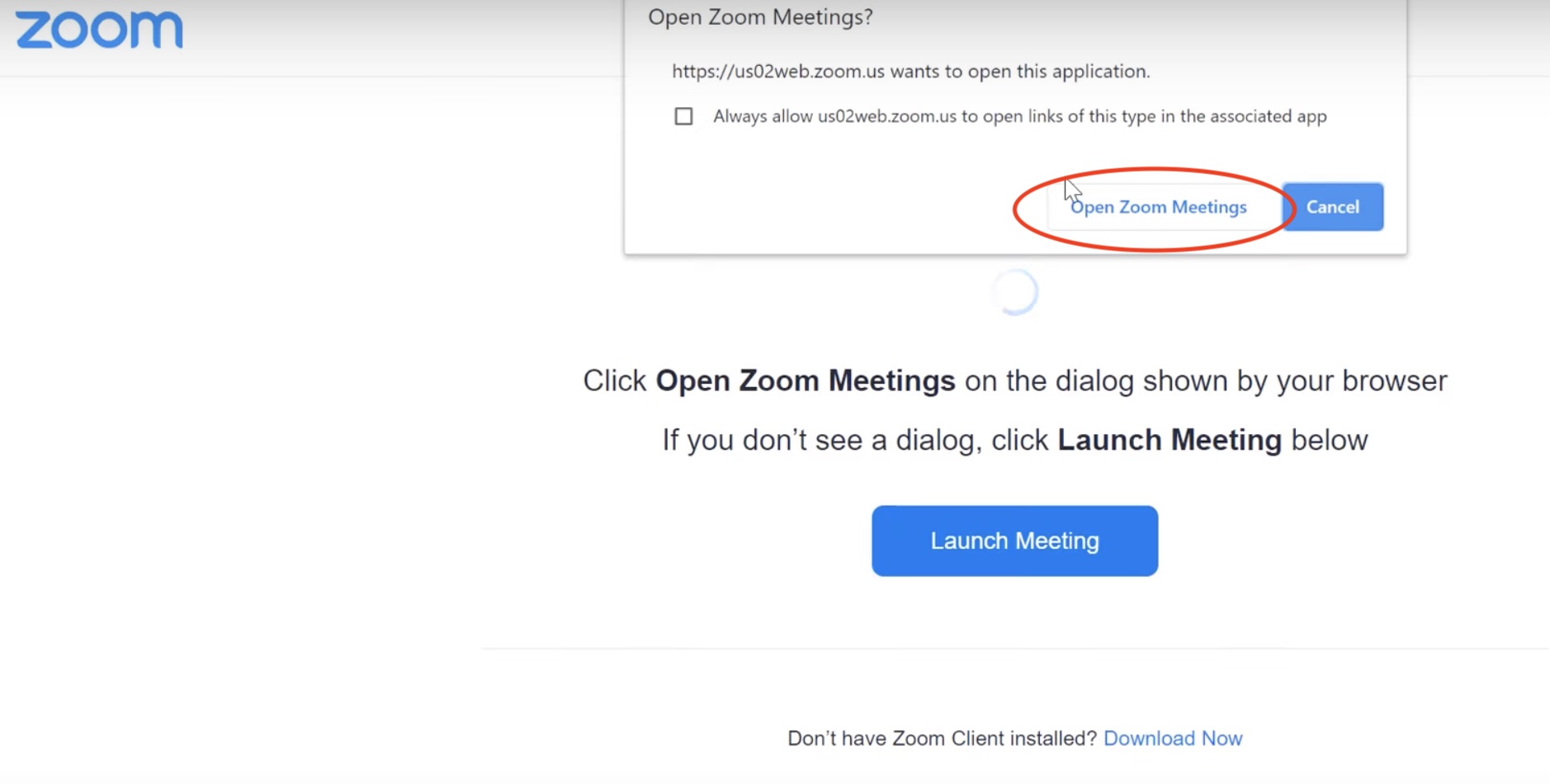
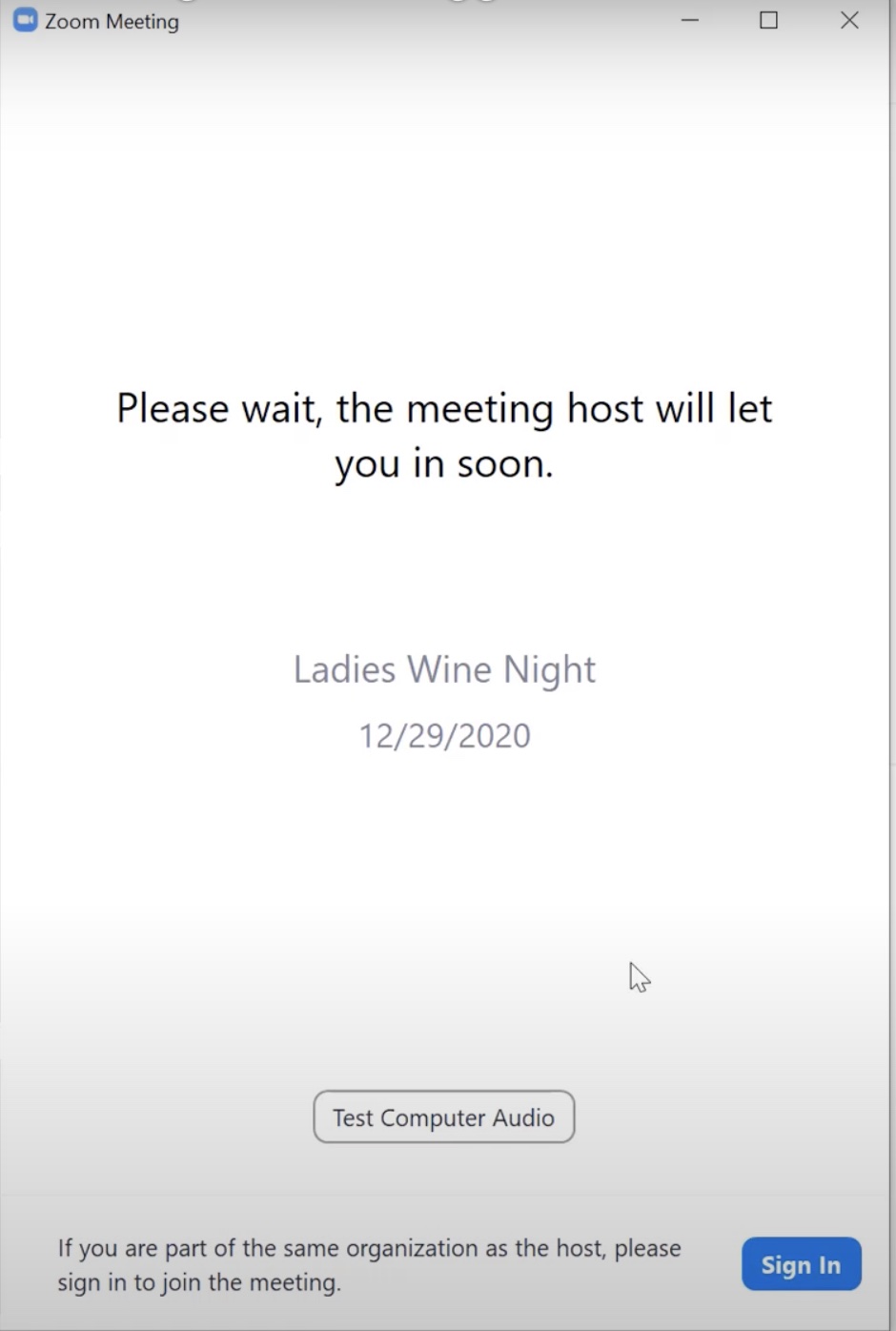
After you click "Open Zoom Meetings," you are in! You will just need to wait for the meeting host to let you in.
For additional aid, watch our video tutorial: VIDEO TUTORIAL
Comments
0 comments
Please sign in to leave a comment.