
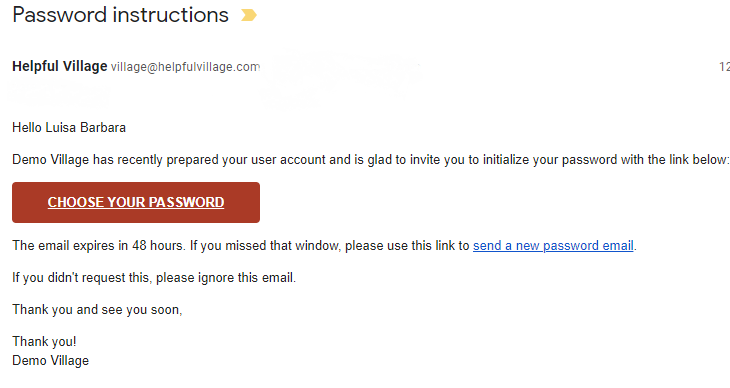
After submitting your application form, once the screening process has been completed, your Village will send you a welcome message email. They will also send password instructions so that you can login to the Village site.
You can see in the example below, you have to click the button “choose your password”. Once you click, your village website will open and will ask you to create a password.
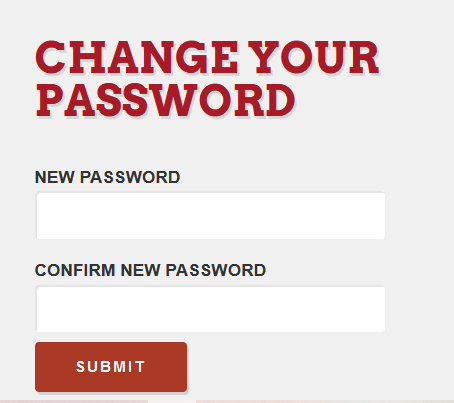
Please enter the password that you want to set up twice, once in new password and once in confirm new password, make sure you write it the same way both times and then click SUBMIT.
Once you submit, you will find conditions to which you may or may not agree. For example: to agree to receive emails such as newsletters, etc or to agree to share your data.
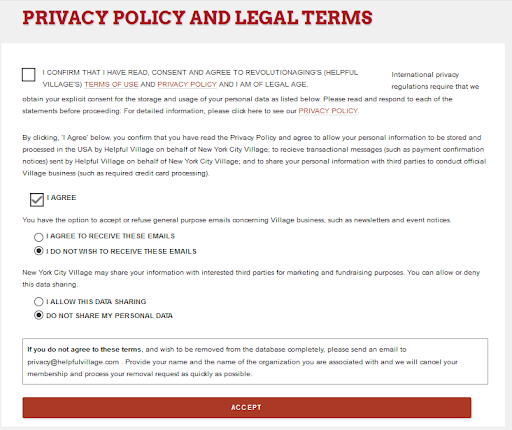
Once you click accept, you are in!
Comments
0 comments
Please sign in to leave a comment.