
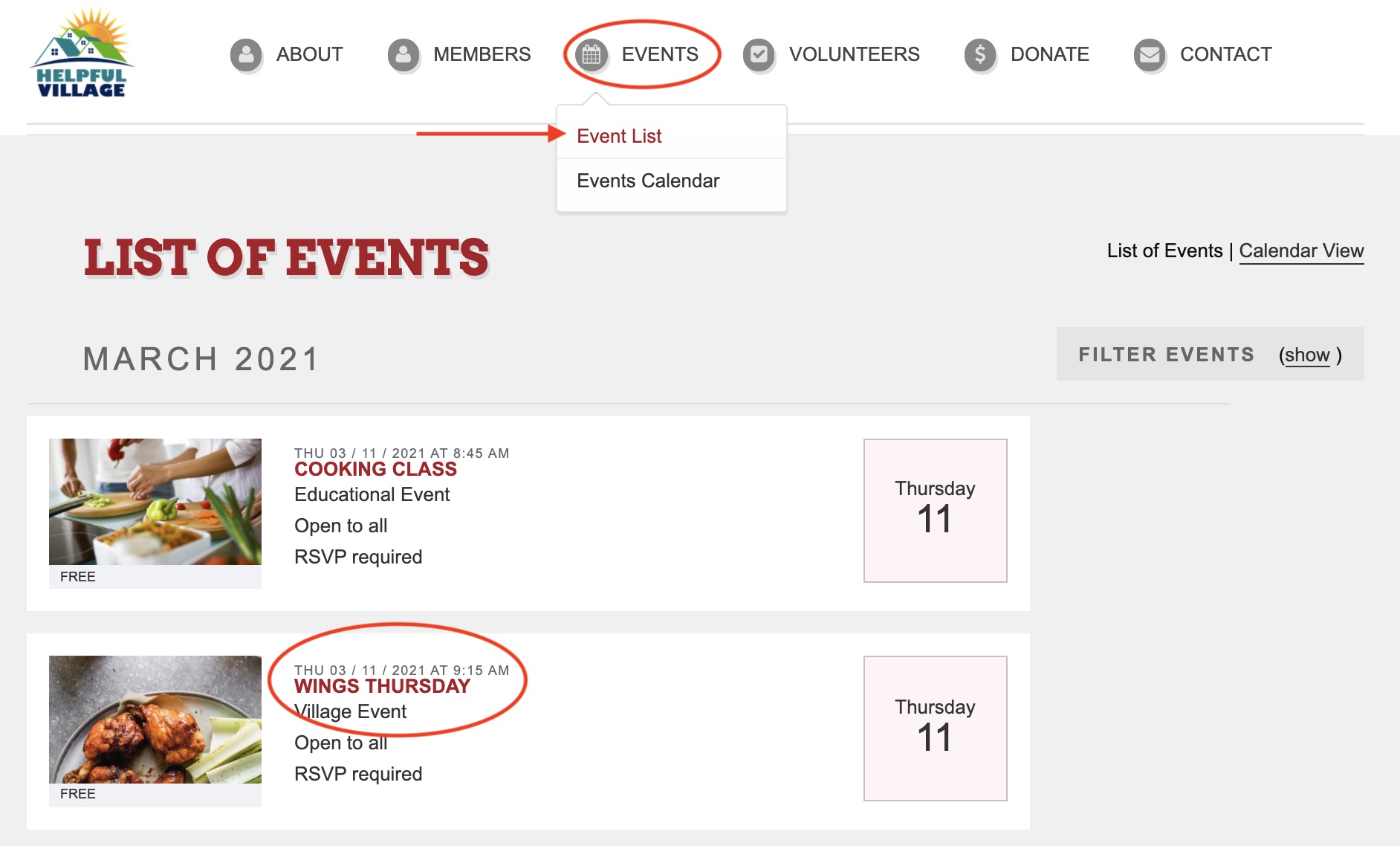
Toggle over "Events," and click "Events List." Then, click on the event you would like to donate to.
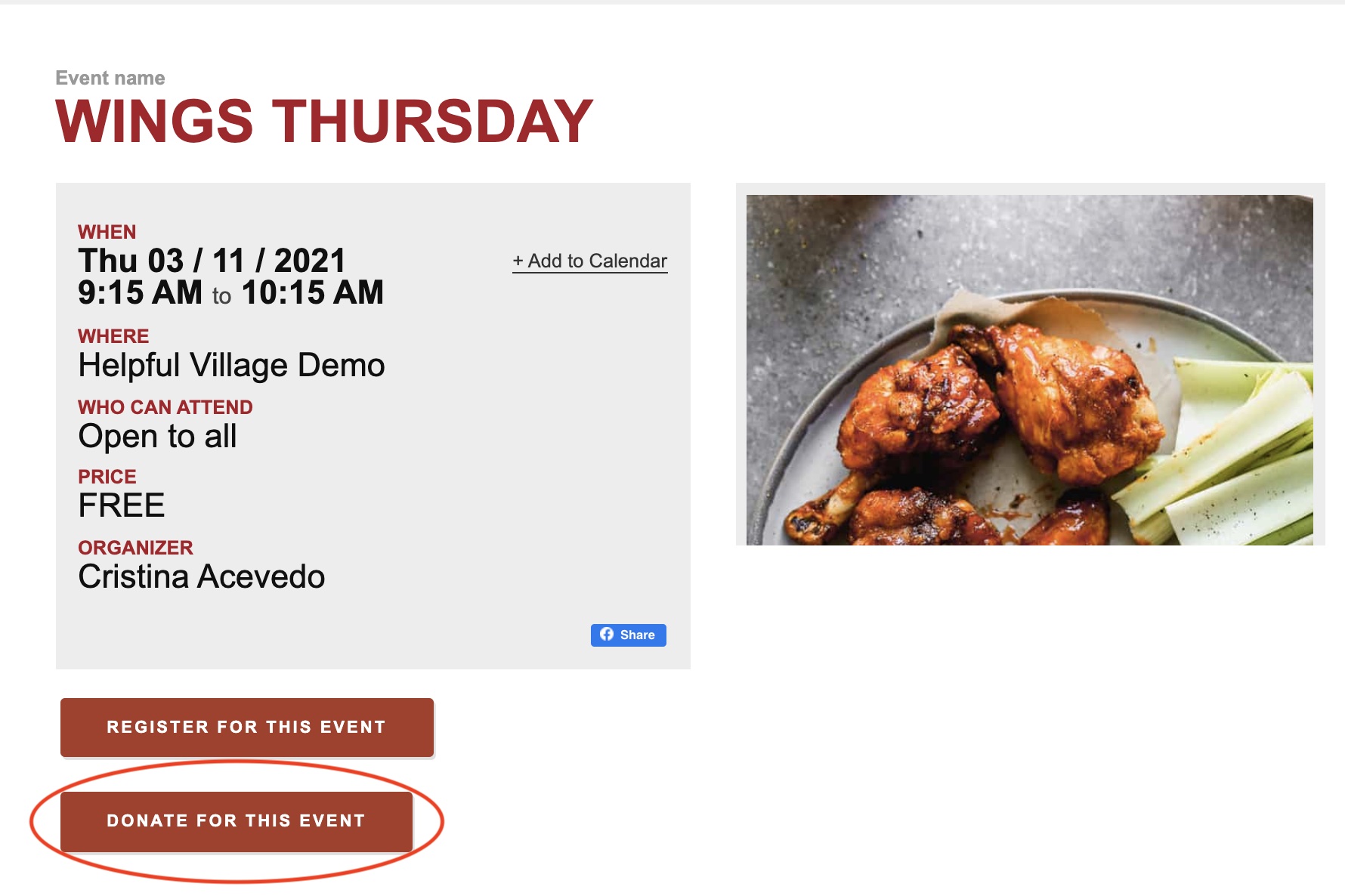
After you click on your desired event, click "Donate for this Event."
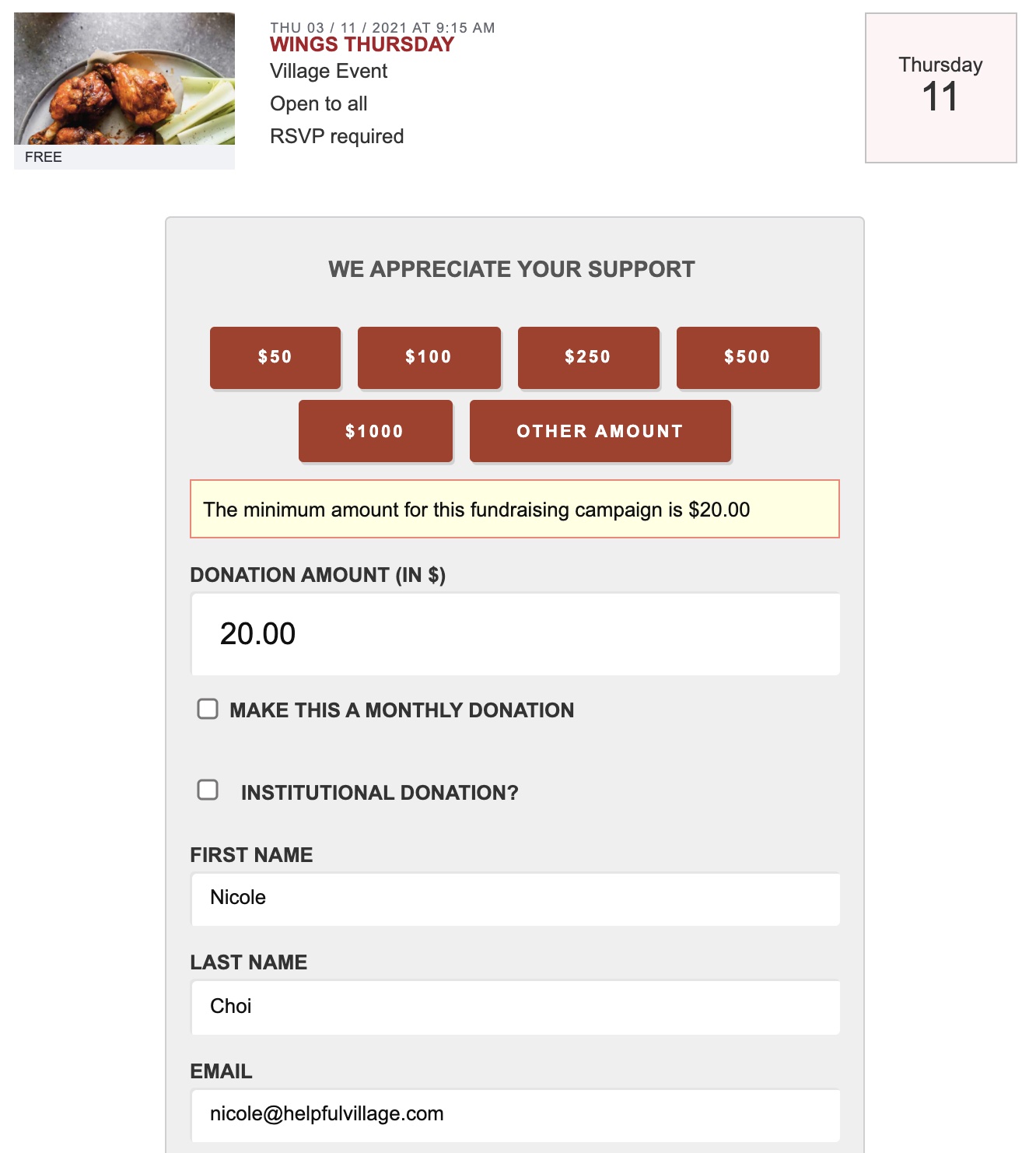
You will then be redirected to a page for you to choose how much you would like to donate. Fill out your personal information on this page.
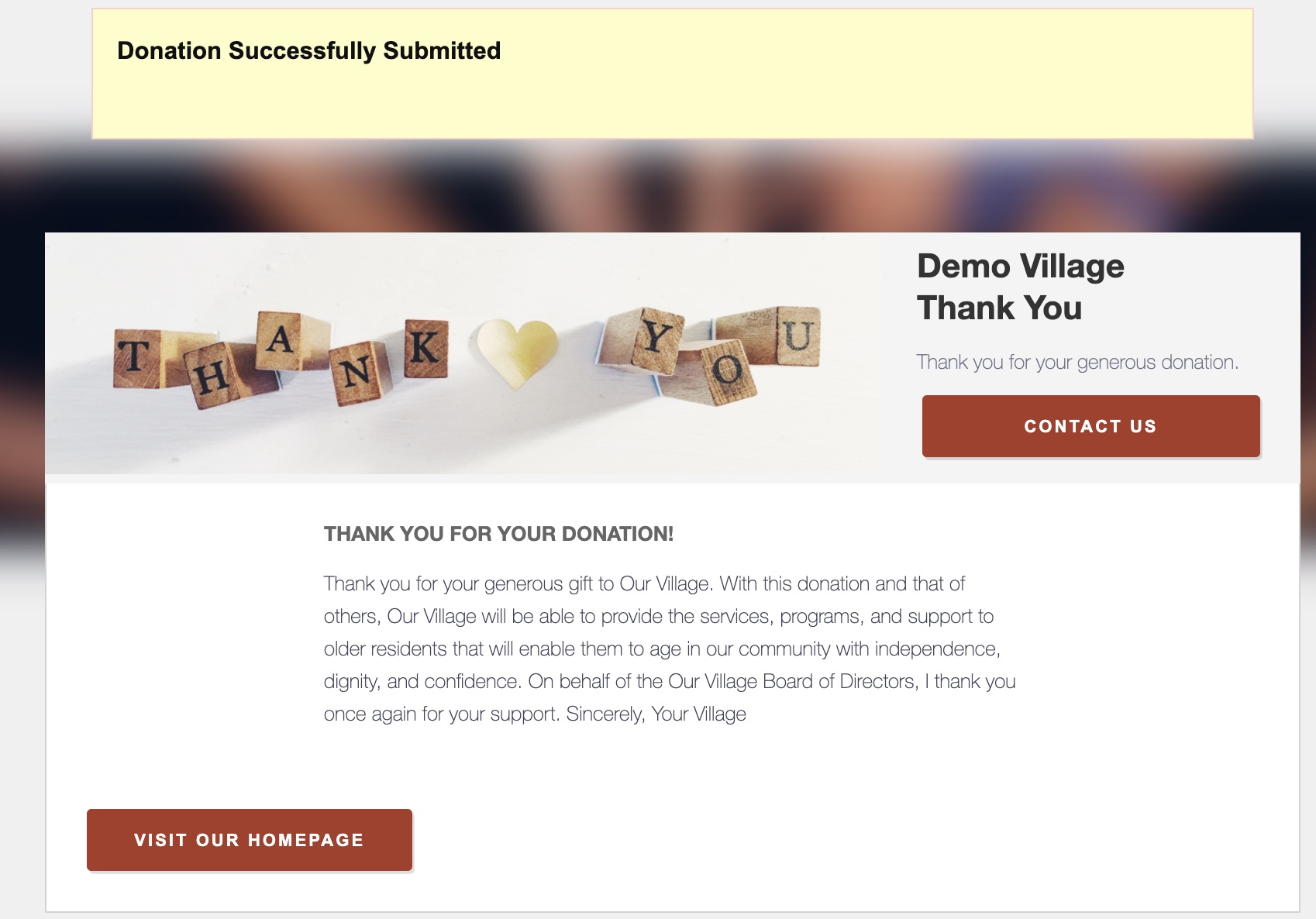
Once you fill out your personal information and credit card information, you will see a yellow banner and a thank you message for donating to show that your donation has been successfully made.
Comments
0 comments
Please sign in to leave a comment.