
Before we delve into explaining how to join an online meeting from a confirmation or reminder email, it is important that you understand what each of these email types are. A "Confirmation Email" is an email that the participant will receive when they register for an event. A "Reminder Email," on the other hand, is an email the participants will receive the day before the event, if you select the check box when you create the event of sending a reminder a day before.
That being said, in order to join an online meeting from a confirmation email or reminder email, follow the steps below:
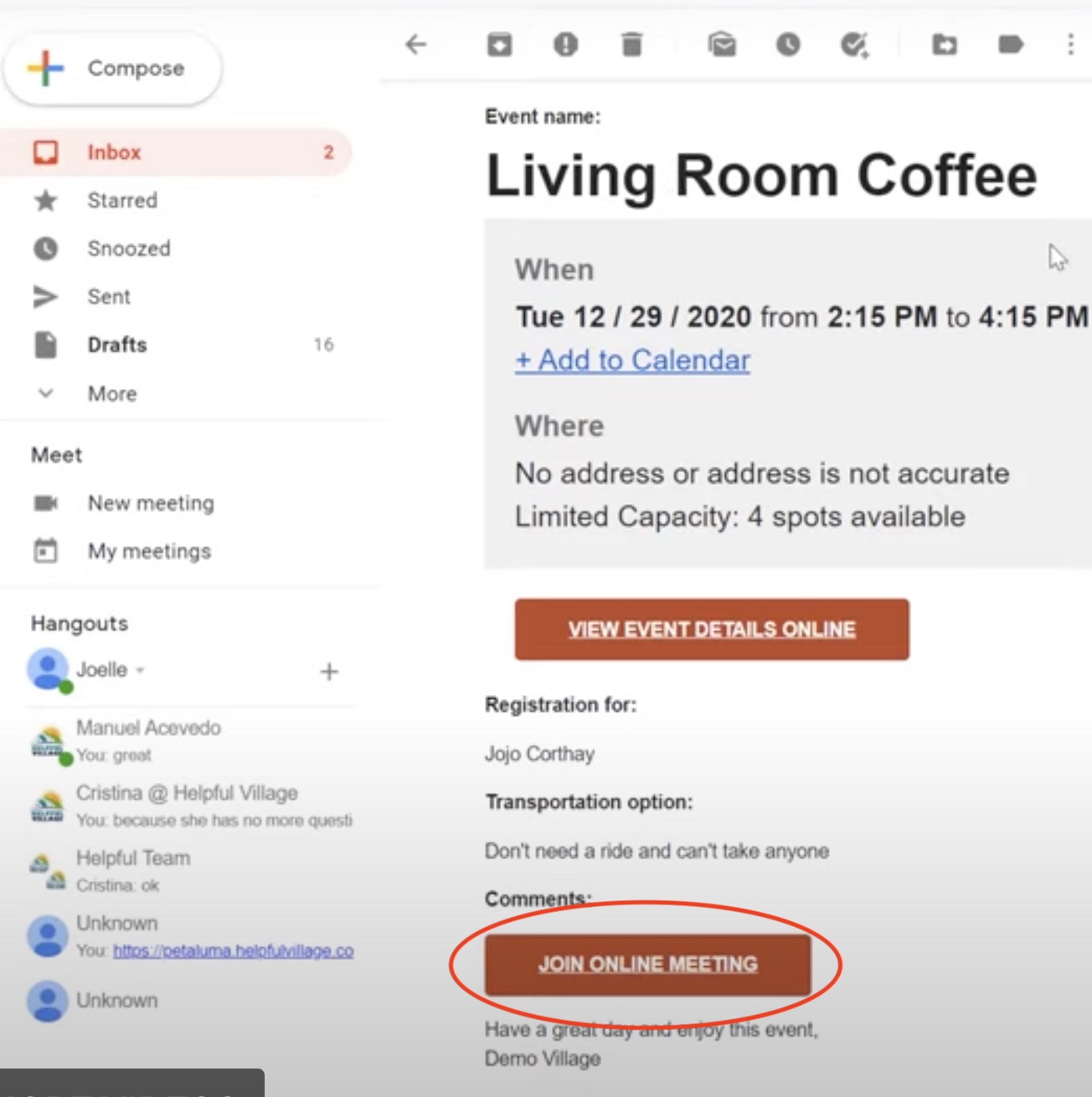
Login to your email, and click on the email from your Village that includes your event registration confirmation.
Scroll down on the email and click the button "JOIN ONLINE MEETING."
After you click the "JOIN ONLINE MEETING," you will see a little pop-up that says "Open Zoom meetings?" Click "Open Zoom Meetings."
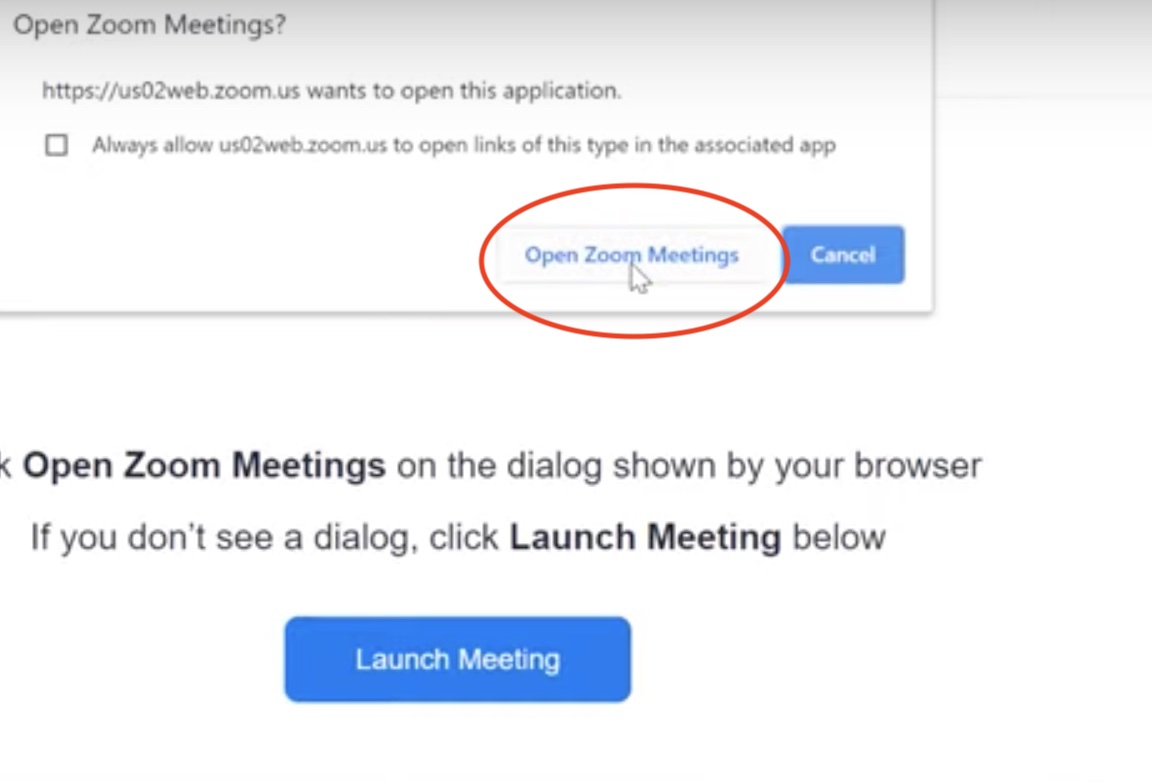
From there, you will have successfully entered your Zoom online meeting once the host lets you in.
NOTE:
A volunteer's eligibility to participate in an event depends on the “Who Can Register” field. Volunteers may participate in events labeled: “open to all”, “volunteers only (login required)”, “volunteers only”, “members and volunteers,” or depending “External website conditions”.
For additional aid, watch our video tutorial: VIDEO TUTORIAL
Comments
0 comments
Please sign in to leave a comment.